


Attributing revenue from LinkedIn Ads cannot live inside spreadsheets or note apps.
ABM needs clean, account-level analytics that tie impressions, engagement, and spend to pipeline and revenue. If you want to prove impact and tune delivery, you need a purpose-built platform. This guide ranks the best LinkedIn ad analytics tools for ABM, with a sharp eye on view-through truth, CRM alignment, and reporting you can defend in a boardroom.
Let’s go!
| Tool | Company + Campaign-Level Impression Tracking | Two-Way CRM Integration | First-Party LinkedIn API Data | Pricing | Summary |
|---|---|---|---|---|---|
| ZenABM | ✅ | ✅ (native, bi-directional) | ✅ (via LinkedIn API) | $59–$119/mo | Built for LinkedIn ABM analytics, low cost, smooth HubSpot sync, clean deal mapping, and fast time to value. |
| Factors.ai | ✅ | ❌ (pulls data, no native push) | ✅ (via LinkedIn API) | $399–Custom | Great controls for impressions and AdPilot features. Lacks native company-property push to CRM. |
| Demandbase | ✅ | ✅ (multi-CRM, bi-directional) | ✅ (via LinkedIn API) | Custom | Enterprise ABM suite with intent bidding and frequency caps. Powerful, complex, and premium priced. |
| Terminus | ⚠️ (only for Matched Audiences) | ✅ (bi-directional) | ✅ (limited to matched audiences) | Custom | Solid LinkedIn management and Salesforce fit. Scope limited to matched audiences for impression analytics. |
| HockeyStack | ✅ | ❌ (only pull; native workflow building needed) | ✅ (via LinkedIn API) | Custom | Rich visual journeys and person-level views. UI can feel heavy and workflows need setup. |
| LeadsRx | ❌ (cookie-dependent) | ❌ (custom setup needed) | ❌ | Custom | Good for broad online plus offline attribution. No official LinkedIn API or native account analytics. |
| 6Sense | ❌ | ✅ | ❌ | Custom | Strong segmentation and predictive plays. Misses impression-based, account-level LinkedIn analytics. |
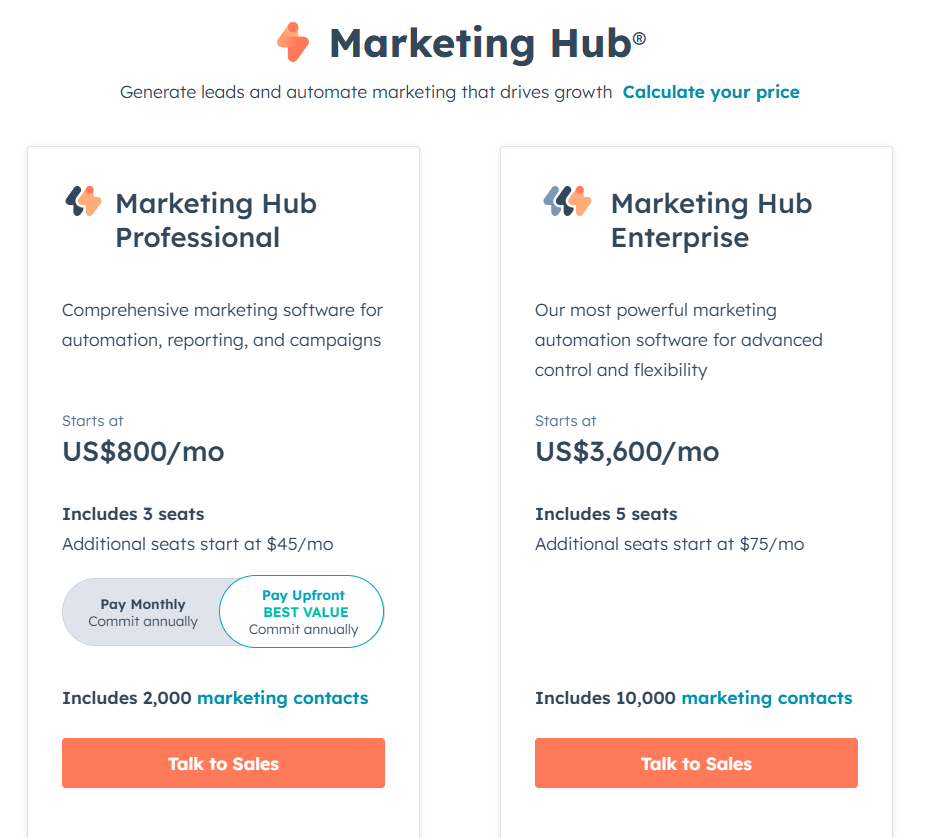
| HubSpot Attribution | ❌ | ✅ (internal) | ❌ | $800–$3600/mo | Convenient for HubSpot-first teams. Click and contact centric. No ABM-grade impression data. |
| CommonRoom | ❌ (tracks engagement only) | ✅ | ❌ (different LinkedIn API for contacts, not impressions) | $999–Custom | Community intelligence with LinkedIn engagement. Not suited for impression-led ABM analytics. |
| Windsor.ai | ❌ | ❌ (manual account grouping) | ❌ | $19–$499+ | Great data hub and modeling. Not designed for LinkedIn ABM impression analytics. |
Dashboards and long integration lists look impressive. ABM needs three non-negotiables. Miss even one and your numbers wobble.
Most buyers never click an ad. CTR for Sponsored Content can sit near 0.44%. LinkedIn influences awareness and shapes later intent. A prospect sees your ad on the commute, then searches your brand and submits a demo. That is not pure organic. You must capture company-level impressions by campaign and campaign group so you can credit every assist that pushed the deal forward.
Contact-level impression logs are not exposed by LinkedIn’s official API. Reverse IP hacks guess at identity and miss often. Treat them as directional at best.
Your analytics must write insights back to the system of record and pull deals forward for matching. Here is what good looks like.
Sync impressions, clicks, and engagement per account into HubSpot or Salesforce as properties. Stop exporting CSVs. Make the data queryable by lists, views, and reports.
Map CRM company names to LinkedIn campaign analytics. When a deal opens for Company X and that account crosses your impression threshold, your platform should attribute influence to the right campaigns and update totals in near real time.
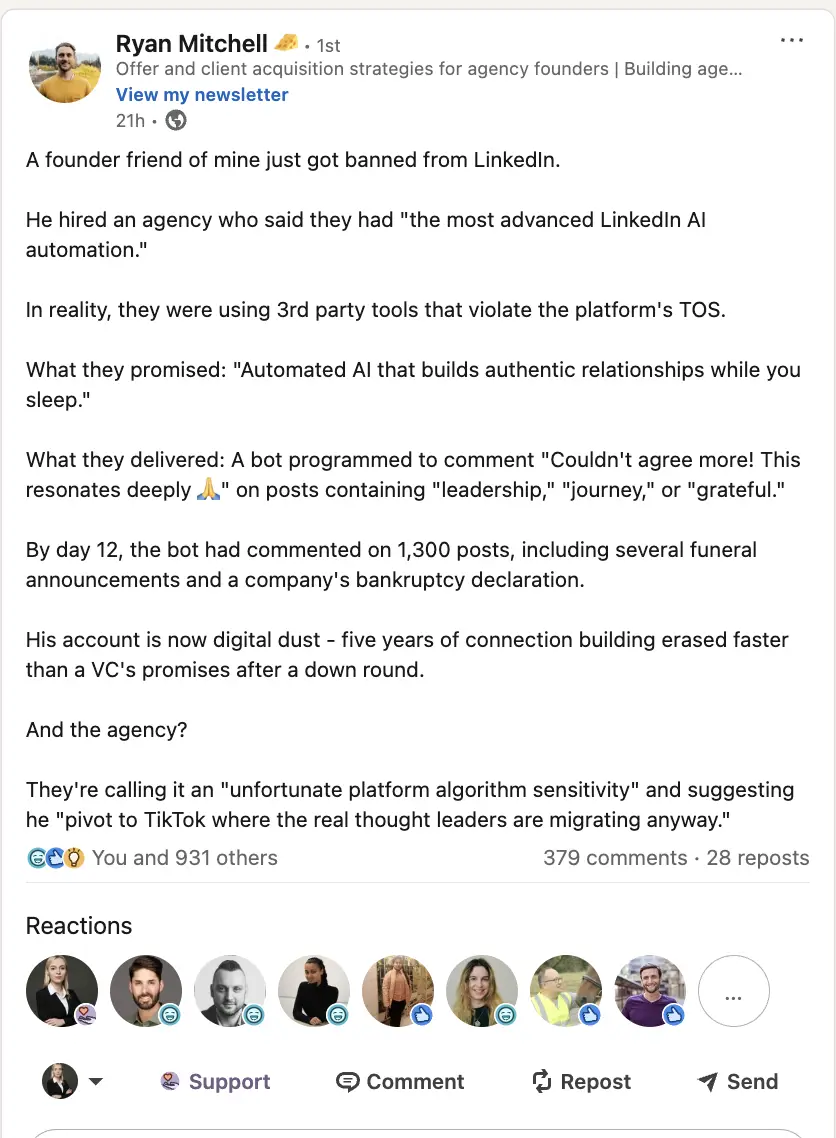
LinkedIn is strict on scraping and automation tools.
Deanonymization tools lean on cookies and IP. They help with clicks, not impressions, and they misclassify often.
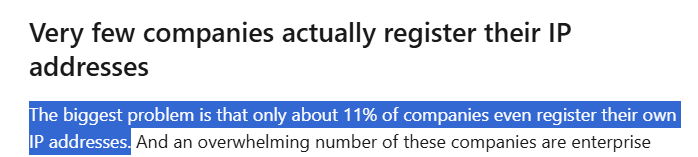
DANs also create noise with bot traffic and false positives. The conclusion is simple.
Use first-party, account-level engagement pulled through LinkedIn’s official API for your LinkedIn ad analytics.
Now to the top tools and how they stack up for ABM analytics.
ZenABM is purpose-built for LinkedIn ABM analytics. You get view-through attribution, native CRM sync, plug-and-play ABM dashboards, and intent scoring. New controls are shipping fast.
They are not extras. They are core design choices.
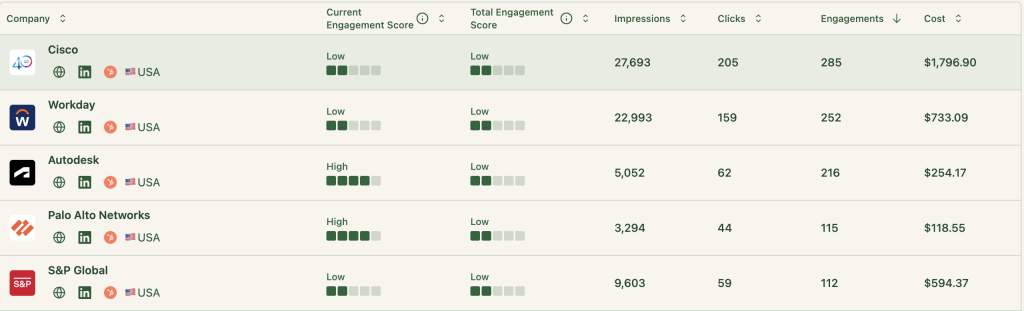
ZenABM records every account that:
You can now prove impact with zero clicks or form fills. Example. Company X racks up 50 impressions without a click, then books a demo a week later. ZenABM shows the campaigns that seeded the demand and shares credit across all seen ads. Data comes through the official LinkedIn API.
ZenABM’s CRM sync is native, no code, and bi-directional.
ZenABM maps LinkedIn engagement to deals inside your CRM.
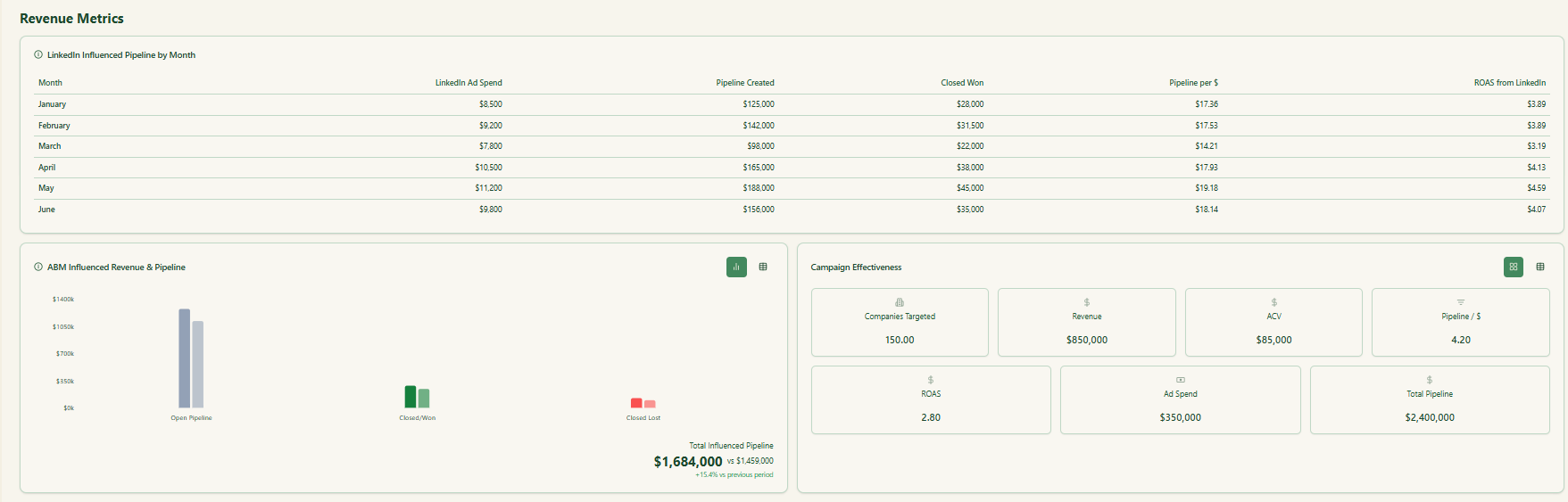
You also see the value per deal that ties back to ad exposure.
So you can finally say:
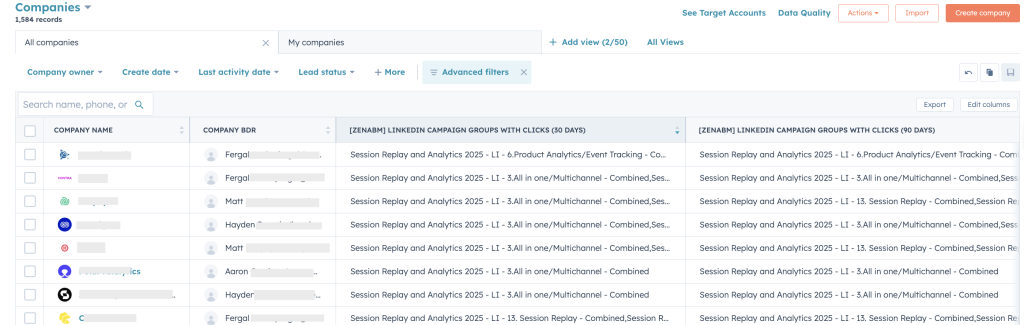
ZenABM pushes LinkedIn Ad engagement into HubSpot as account properties like “LinkedIn Ad Engagements – 7 days” and “LinkedIn Ad Clicks – 7 days”.


You can also roll these up into cumulative properties like “Cumulative LinkedIn Ad Engagements” and “Cumulative LinkedIn Ad Clicks” for long-term trend analysis.

ZenABM computes a live “Current Engagement Score” from impressions, clicks, and recency.
Then it assigns those accounts to BDRs in HubSpot automatically.
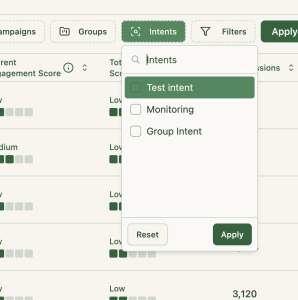
Buyer intent is tracked off your campaigns too.
No need to build reports in CRM or Excel. ZenABM ships ABM dashboards that calculate ROI, ROAS, lift, and more for your LinkedIn programs.
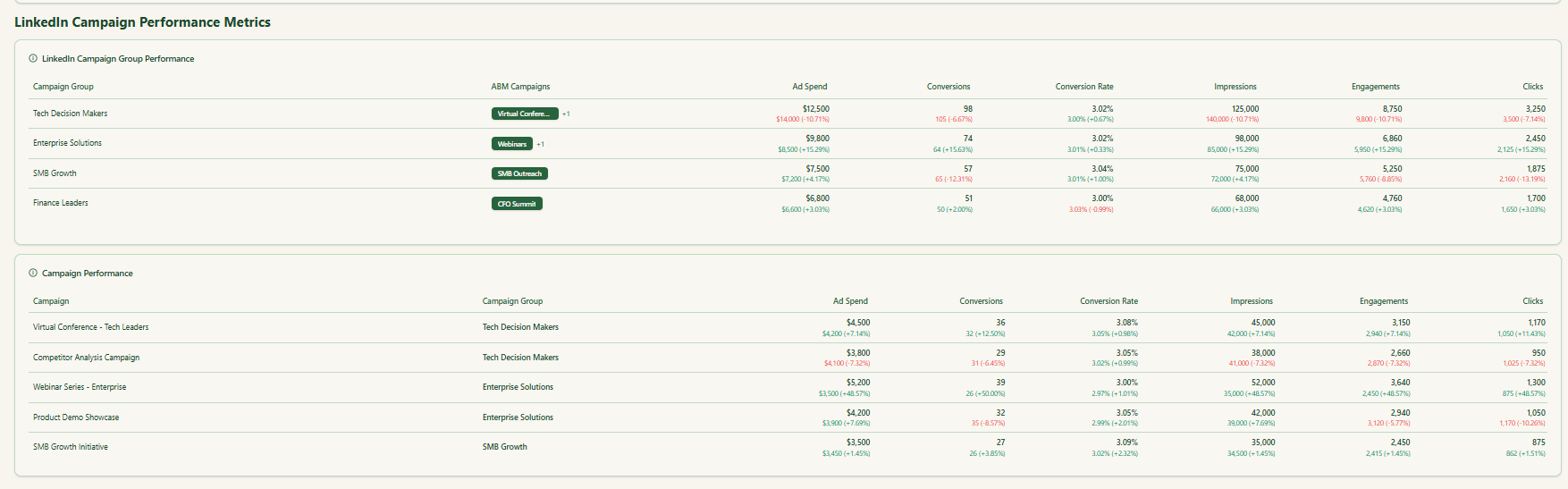
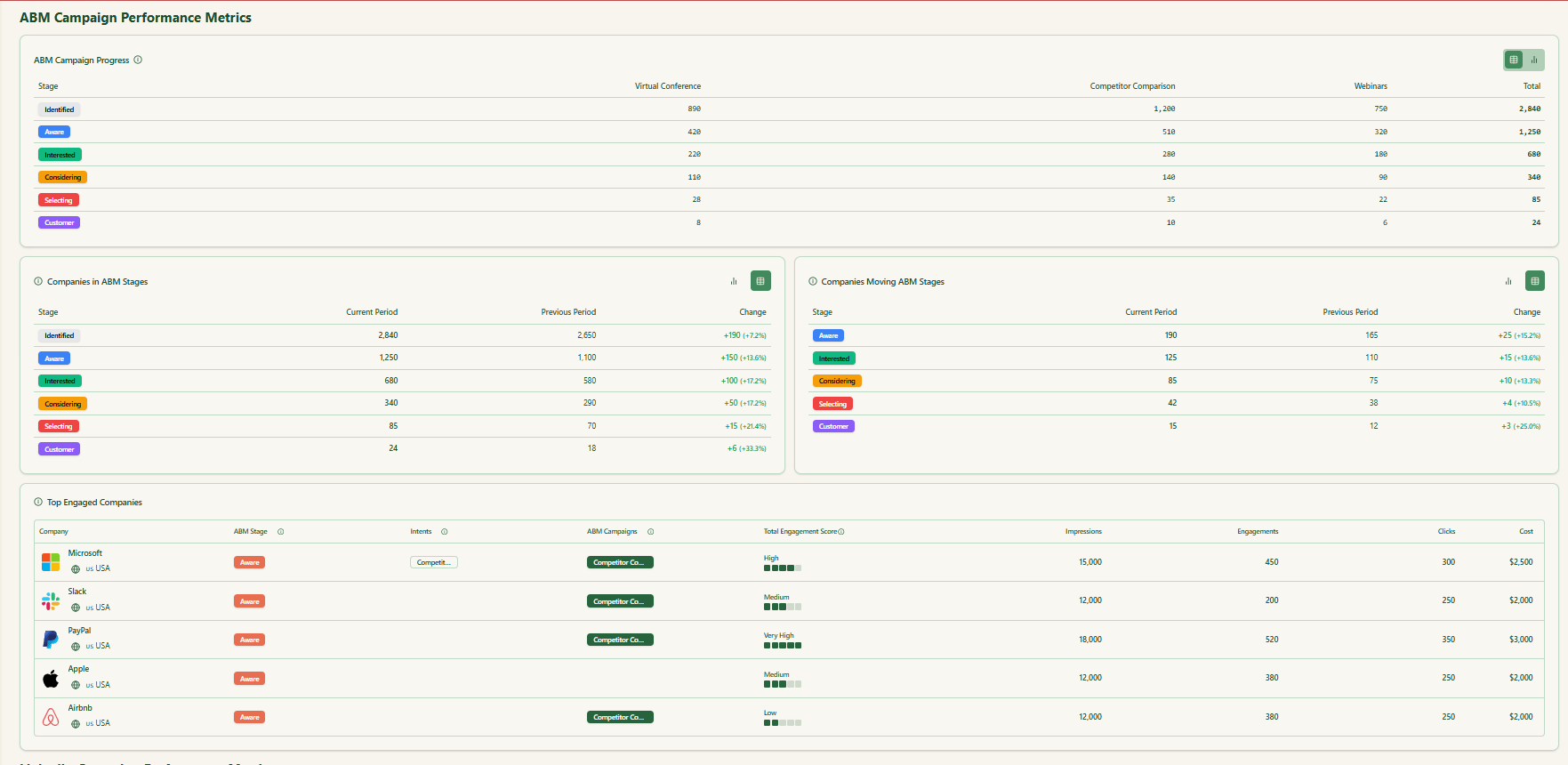
In short, ZenABM lets you run view-through analytics end to end and gives you a central place to do the ABM math.
Want to see it live? Book a demo here.
ZenABM focuses on LinkedIn ABM. It does not handle visitor deanonymization, broad account intelligence, programmatic display, or target list building.
Bottom line: A focused LinkedIn analytics and attribution tool. Not a giant multi-channel suite. For LinkedIn ABM, it is enough and very affordable.
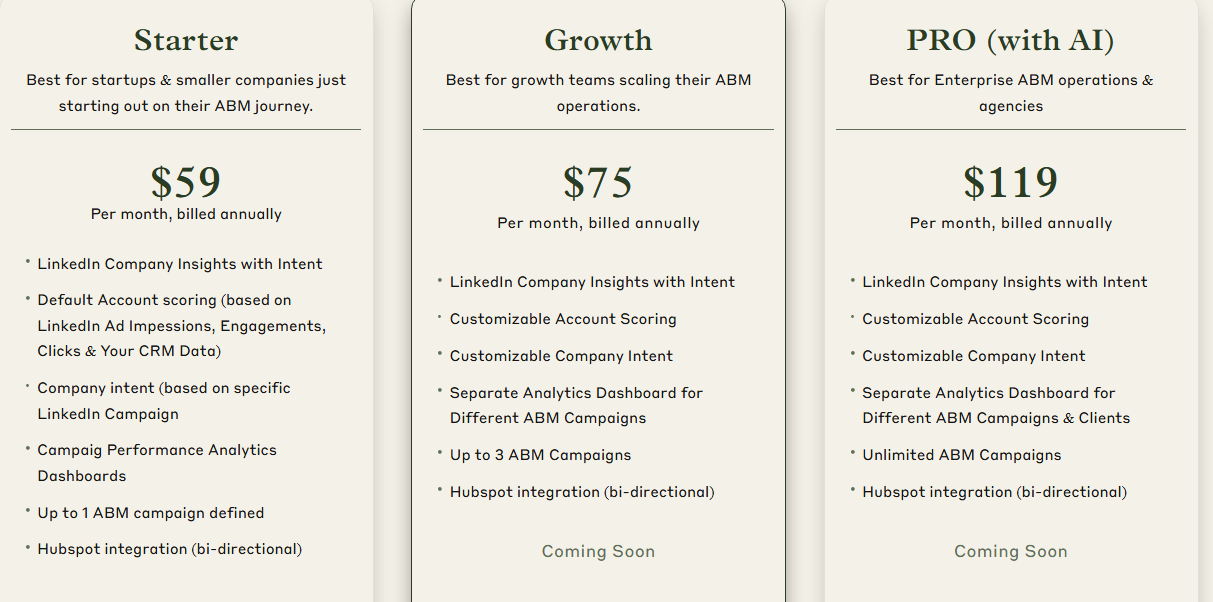
Three plans keep it simple.
The Starter plan ($59 per month, annual) suits small teams. You get company engagement insights, default account scoring from CRM plus ad data, campaign-level intent, one ABM campaign, and native two-way HubSpot integration.
Growth ($75 per month) adds configurable scoring, separate dashboards for up to three campaigns, and planned upgrades like auto BDR routing, Slack alerts, and weekly summaries.
Pro ($119 per month) is for bigger teams and agencies. It unlocks unlimited campaigns, client-ready dashboards, and upcoming AI helpers for impression control and campaign automation.
Every plan has a free trial. Details are on the pricing page.
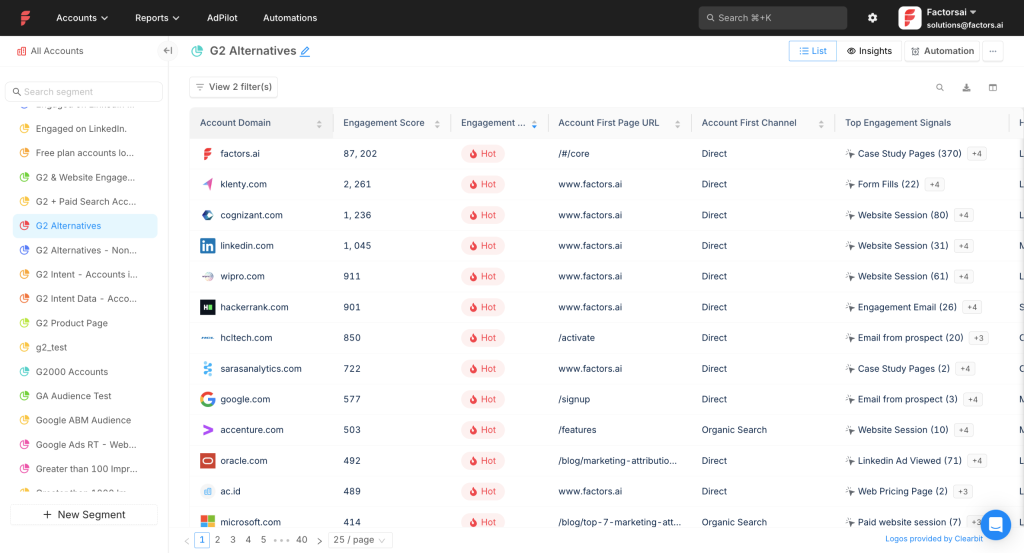
Factors.ai supports LinkedIn plus Google and Facebook, and it layers on workflow automation, intent capture, deanonymization, lead scoring, and multi-touch reporting.
Yes for core data and mapping. One gap on CRM write-back.
Pulls impressions, clicks, and spend from the LinkedIn API at campaign group and campaign level. You see who viewed, not just who clicked.
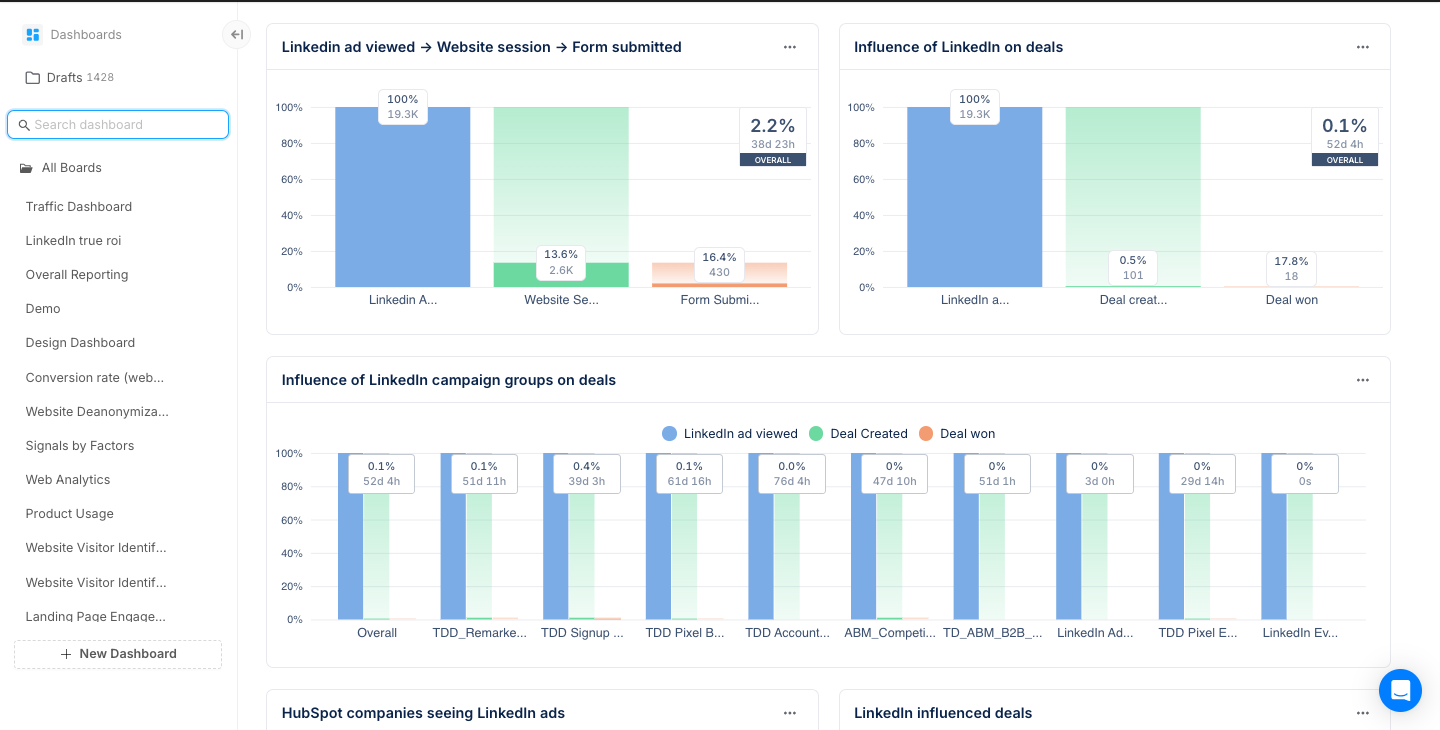
Integrates with HubSpot and Salesforce to match engaged accounts to open and closed revenue.
Note: Factors.ai does not natively push company-level engagement back as CRM properties. You can build a workflow for this use case.
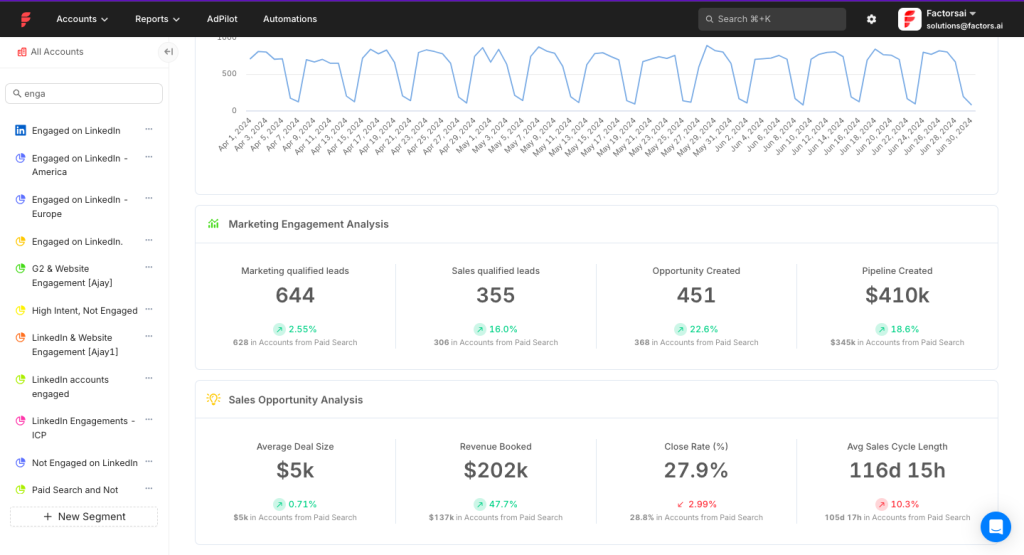
AdPilot adds smart audience building and delivery controls.
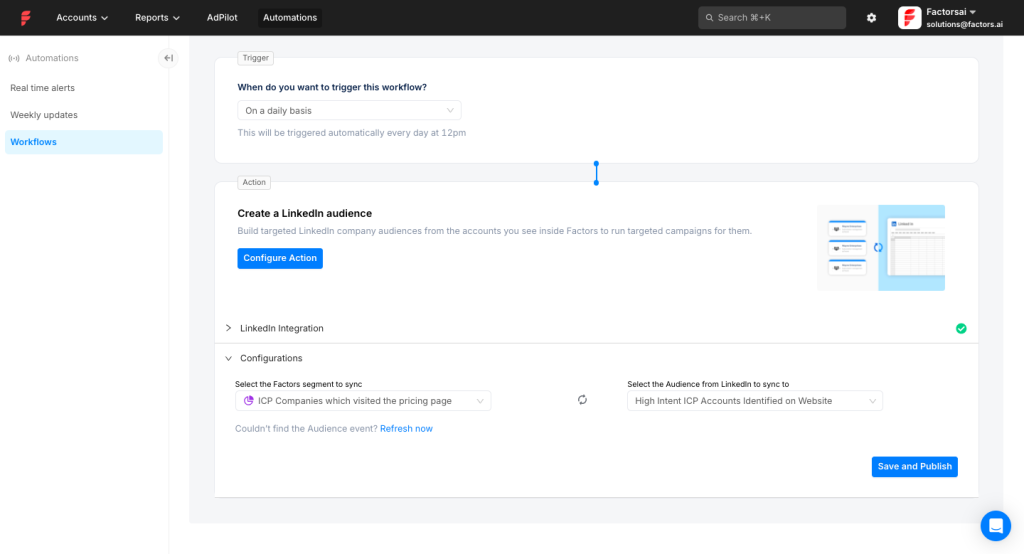
Build and refresh audiences from multiple data sources and send them to LinkedIn via CAPI. Tune conversion segments from online and offline signals.
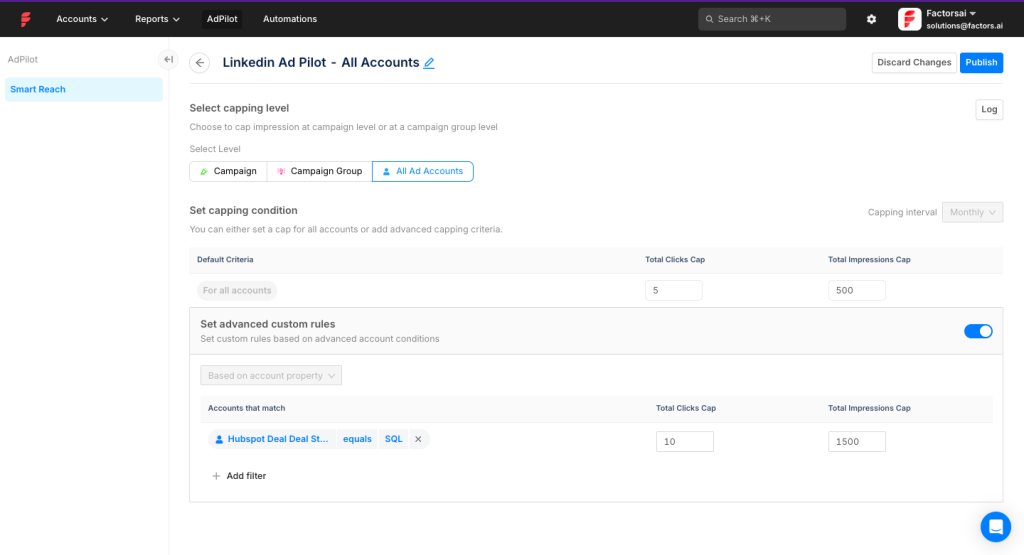
Balance spend across accounts by setting per-company caps for impressions or clicks.
Integrate MAP, CRM, and Slack with native workflows.
Compare LinkedIn against other channels and see where it influences the journey.
Bottom line: Excellent for impression control, audience precision, and company-level impression analytics. Lacks out-of-the-box CRM property write-back.
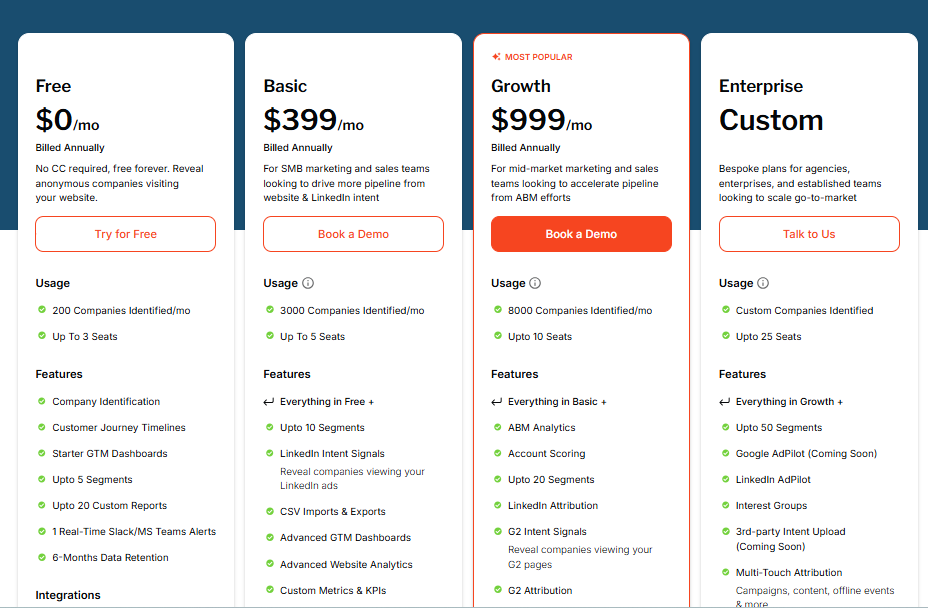
Free plan offers basic visitor insights for up to 200 identified companies. Basic ($399 per month) adds LinkedIn intent tracking and core CRM links. Growth ($999 per month) brings ABM analytics, G2 links, and workflows. Enterprise is custom.
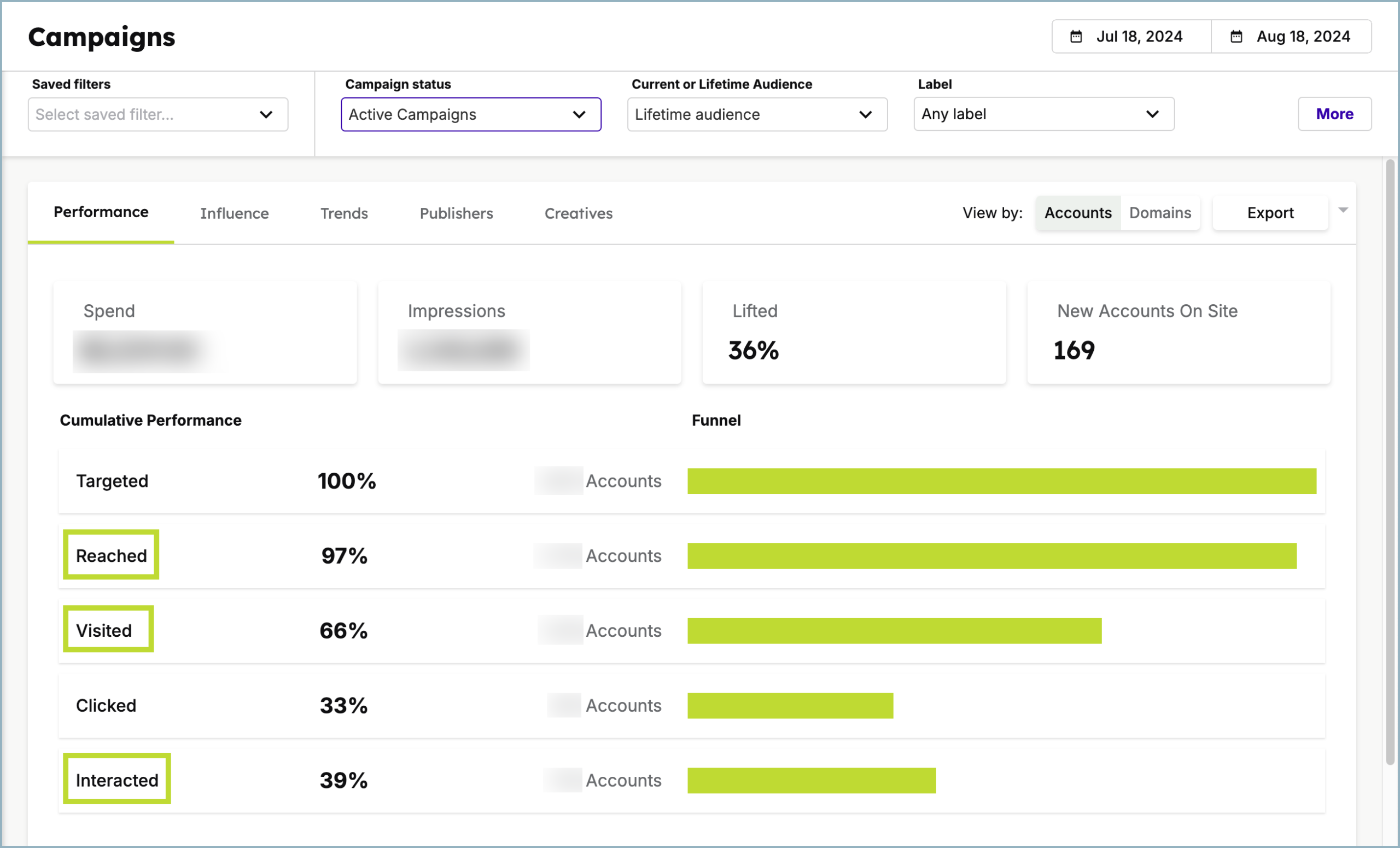
Demandbase is a full ABM platform. It covers lists, ad delivery, analytics, and ROI reporting across channels. Demandbase is the brand. Demandbase One is the platform.
Yes. It checks every box.
Certified LinkedIn partner with access to the official API. Account-level reporting is native to its design.
Bi-directional sync with HubSpot, Salesforce, Microsoft Dynamics 365, Marketo, Pardot, and Oracle Eloqua. You can measure pipeline and revenue impact and write engagement into CRM. A Capterra reviewer highlights heavy Salesforce reliance for sales teams that avoid the Demandbase UI.
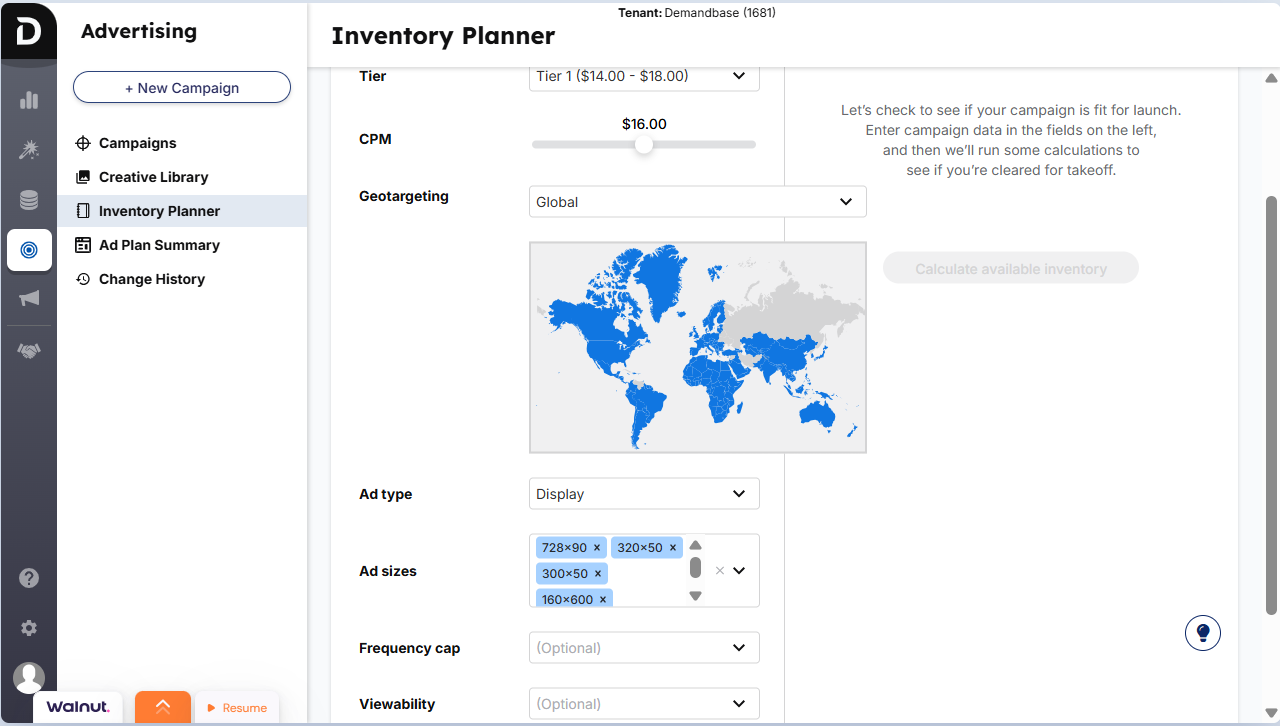
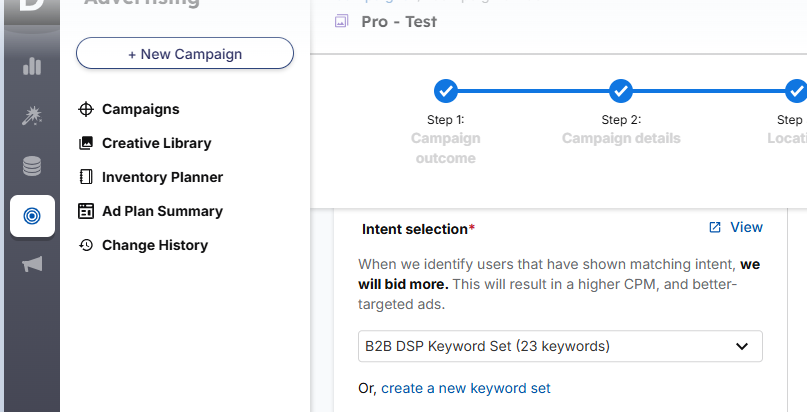
Use intent keywords to prioritise spend toward in-market accounts. Demandbase sources data from thousands of sites and its own signals to find research activity tied to your topics.
High price and a heavy learning curve. Teams need time in seat to realise value.
Bottom line: A strong choice if you run multi-channel ABM with real budget and want deep control and insights.
Pricing is not public. You will need to book a demo.
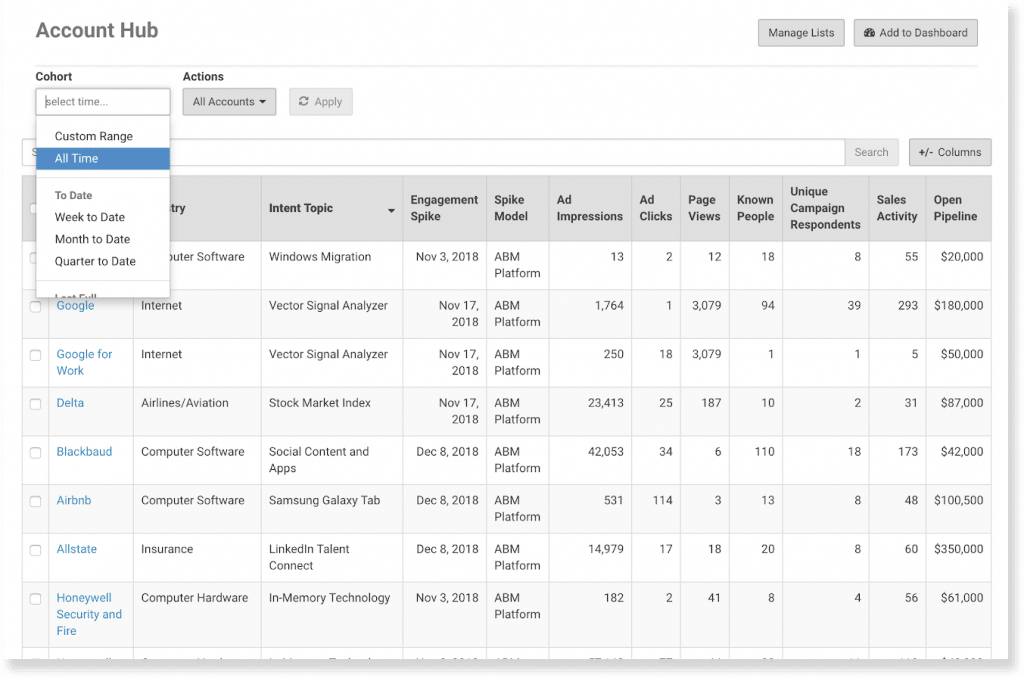
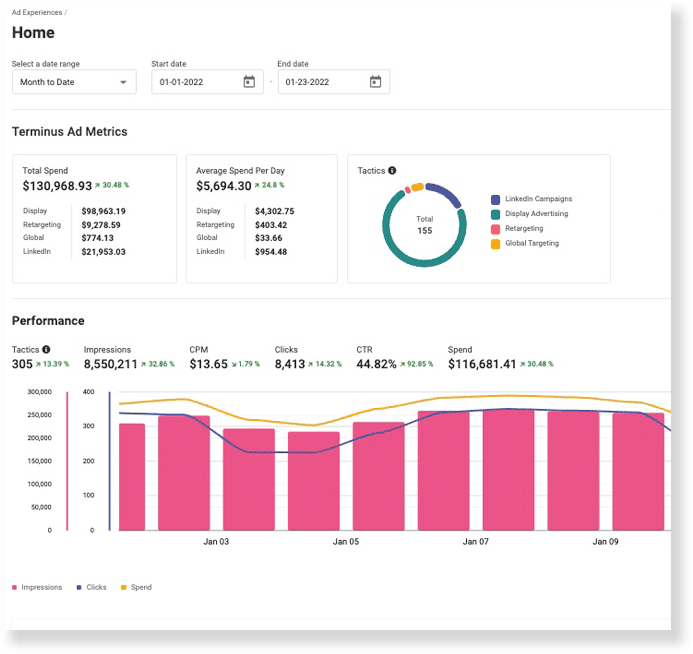
Terminus focuses on advertising and multi-channel engagement. Its LinkedIn Marketing Solutions integration syncs data in real time, which helps with analytics and delivery.
Partially.
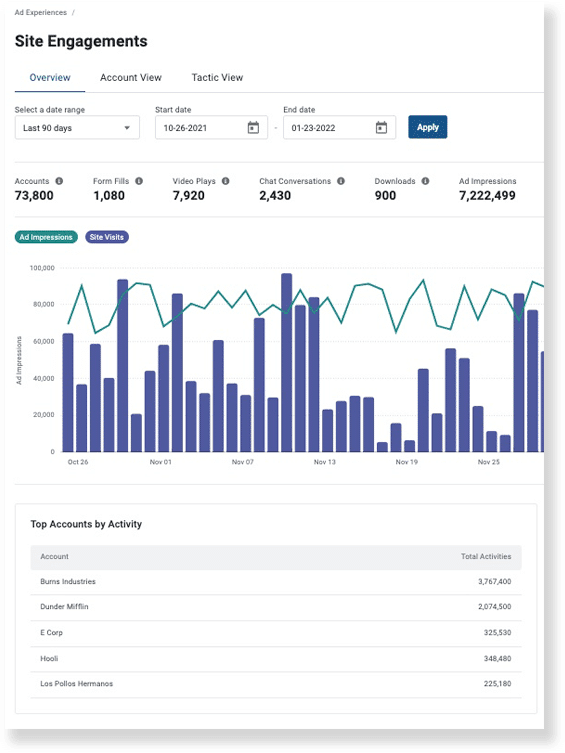
Tracks impressions for uploaded or CRM-sourced Matched Audiences. It will not cover every account outside those lists.
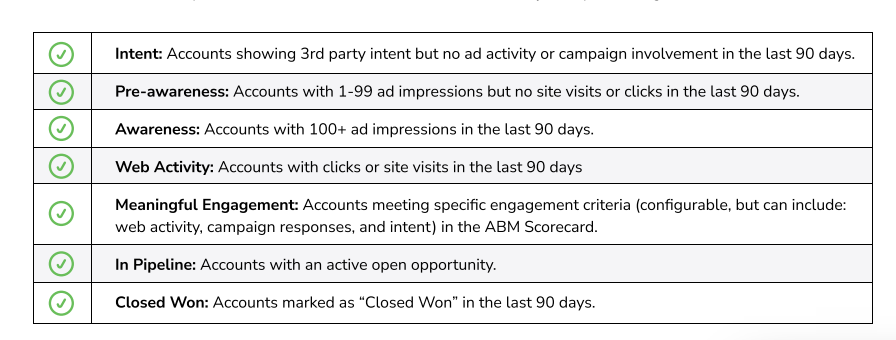
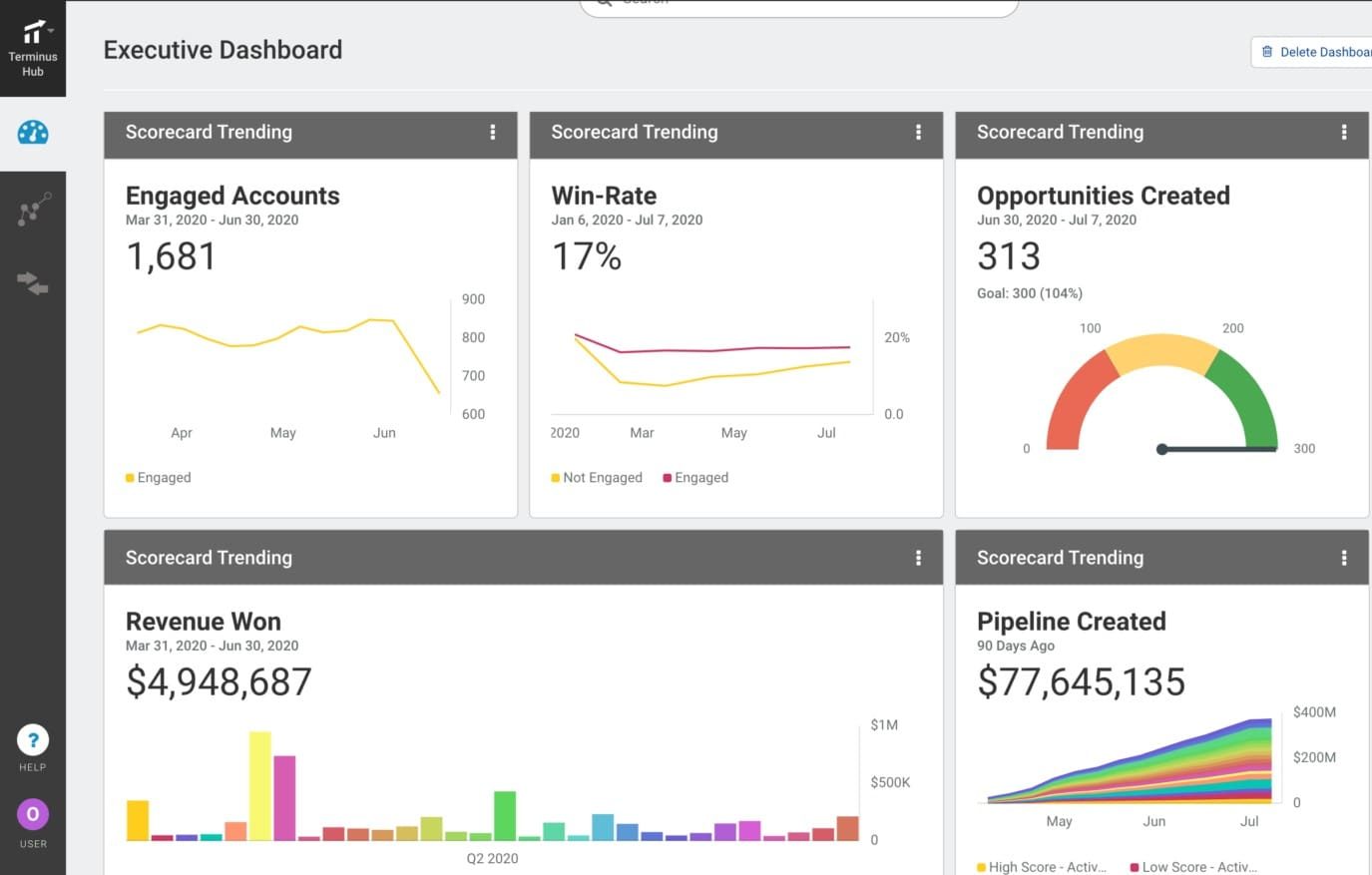
Strong Salesforce fit. Accounts move through funnel stages as impression and engagement milestones accrue. Executive dashboards show pipeline and win data.
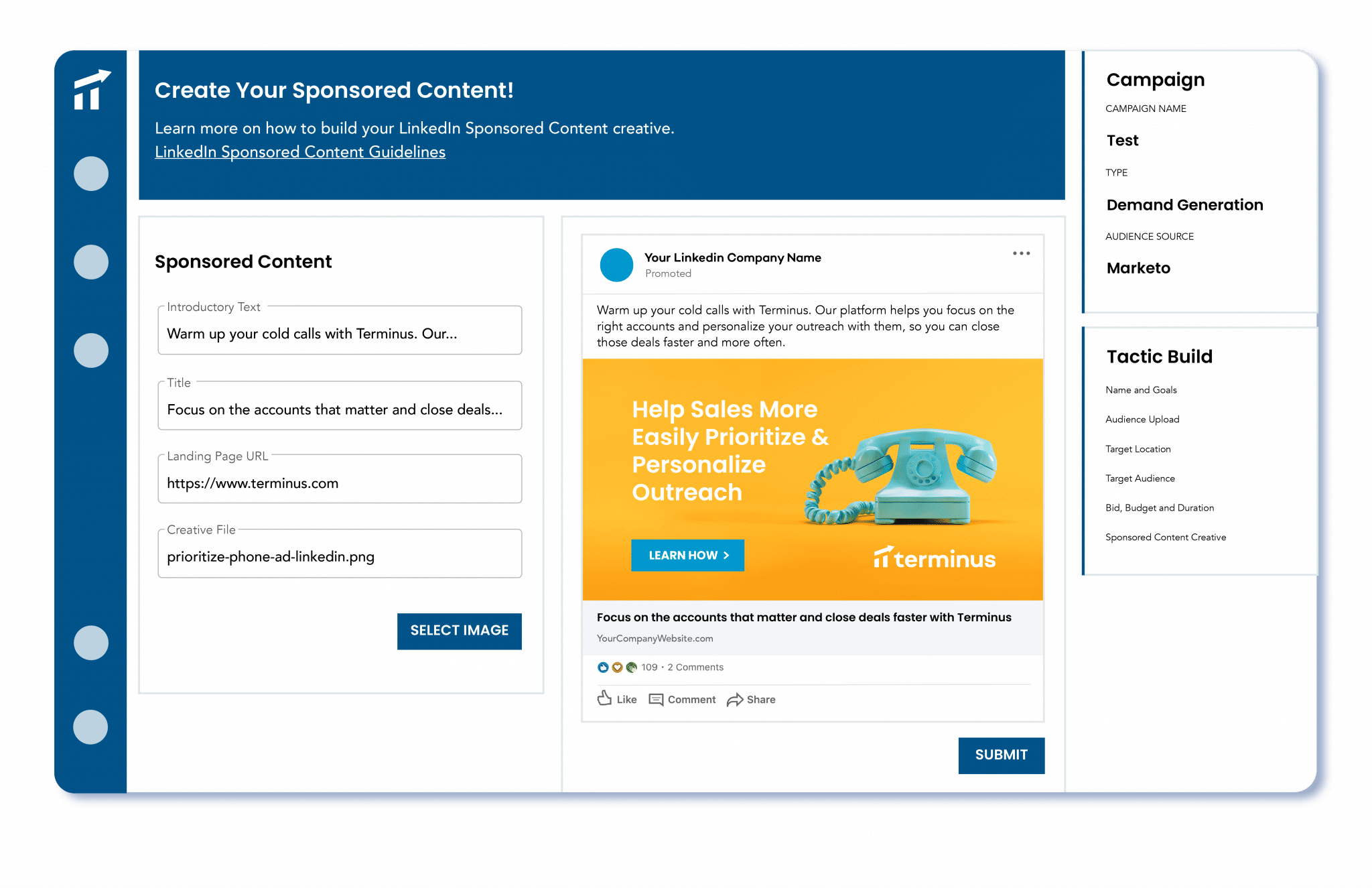
Use Outreach, Salesloft, Uberflip, and Bombora intent to trigger ad sequences.
Bottom line: Strong LinkedIn analytics within lists you control. Not the cheapest if you only run on LinkedIn.
Terminus is now part of DemandScience. Pricing is by demo. Contact the team.
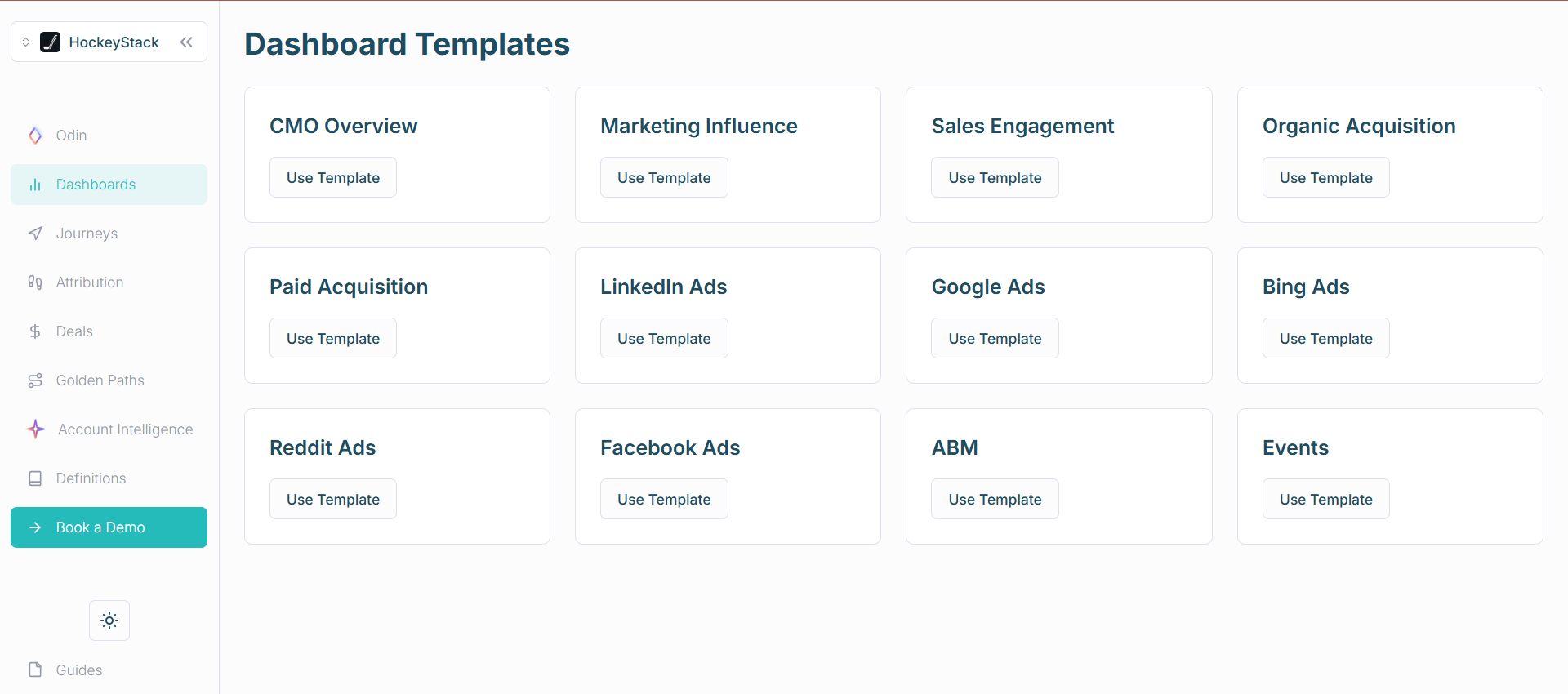
HockeyStack is a B2B analytics platform that blends LinkedIn Ads with site and CRM touchpoints. It supports account and person-level paths.
Almost.
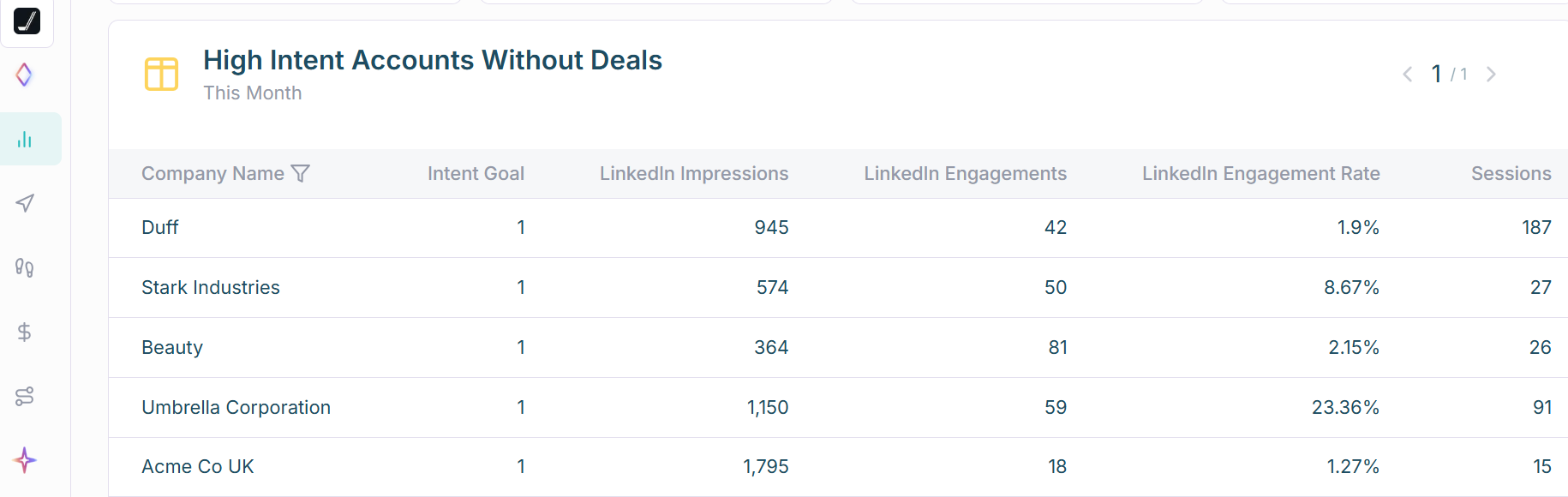
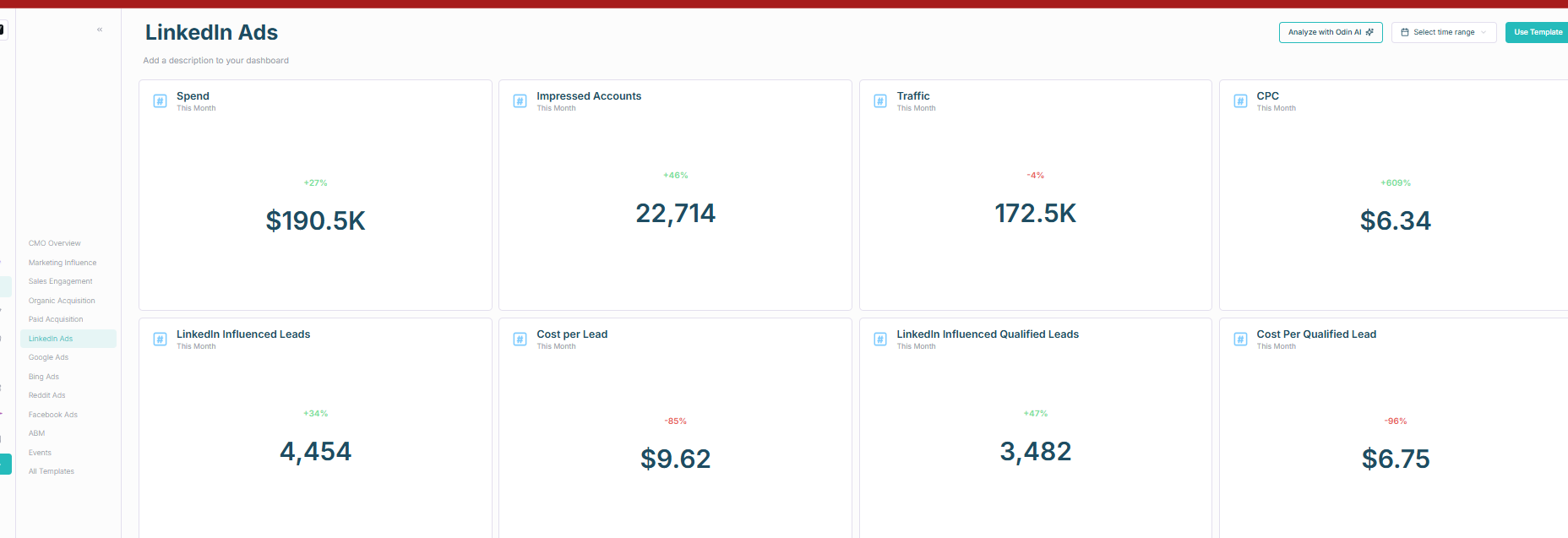
Note: CRM sync is one way. You can build workflows to push data back, but it is not plug and play.
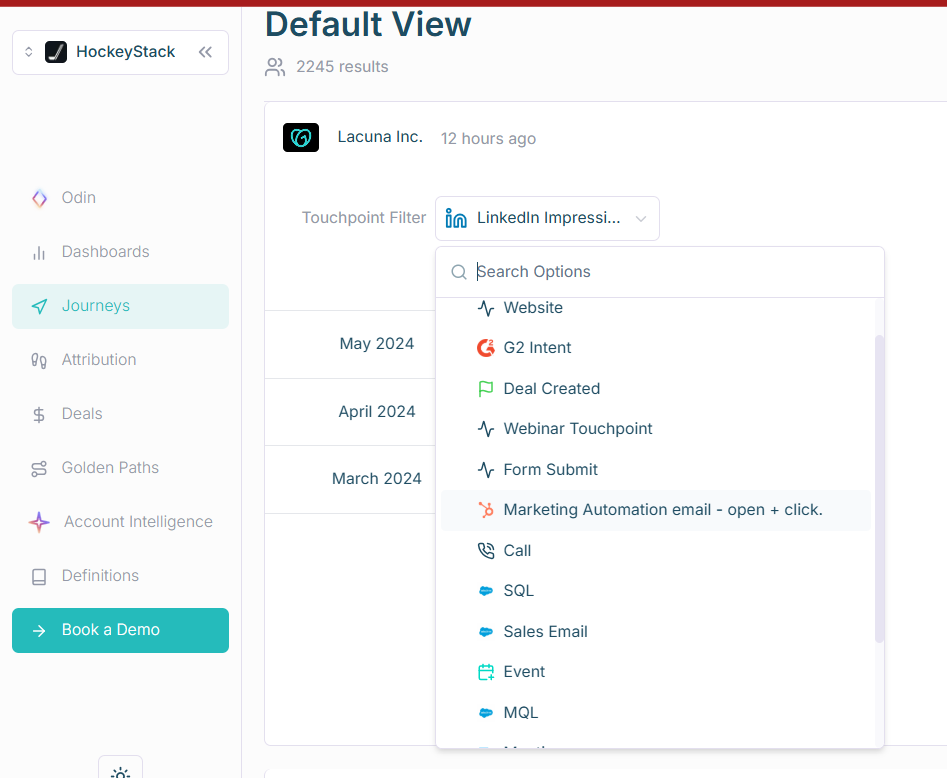
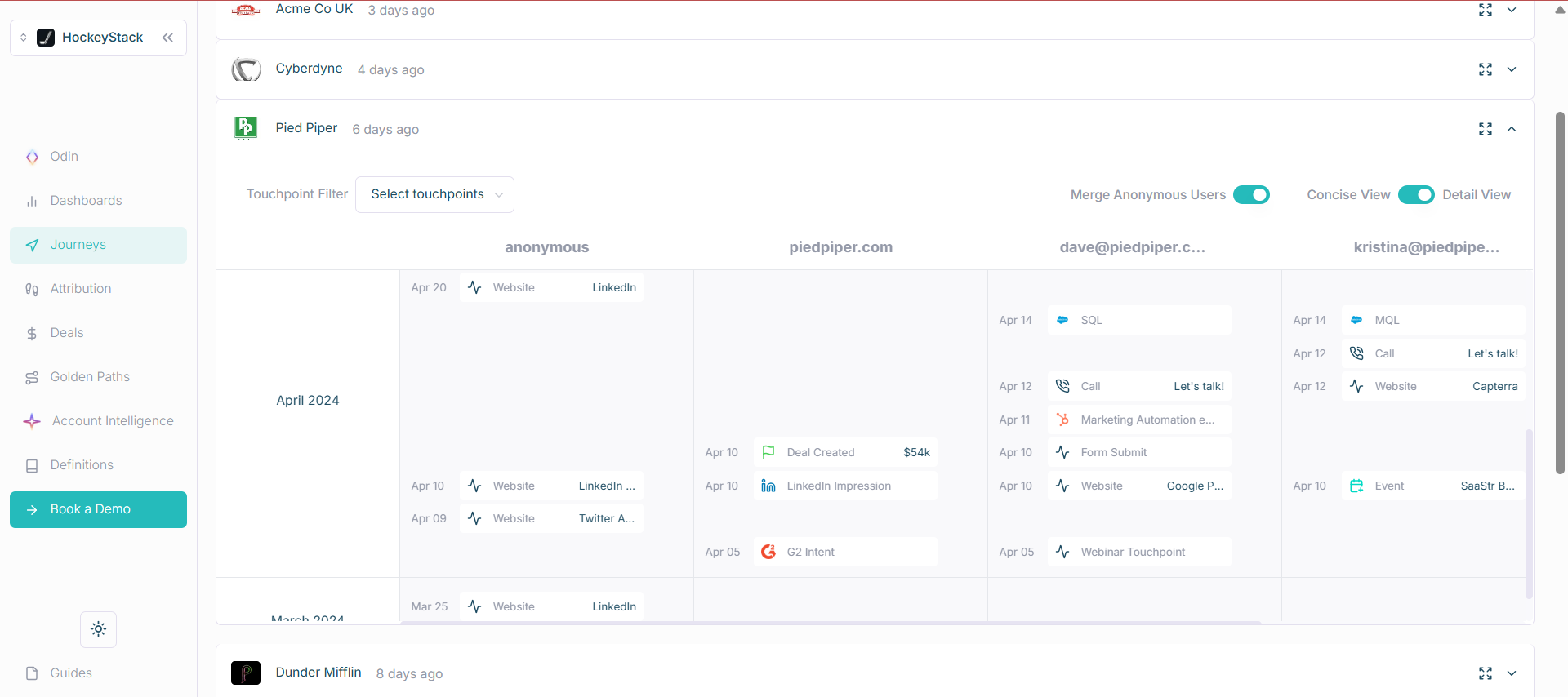
Be cautious with cookie and reverse IP reliance. Treat it as supportive, not authoritative.
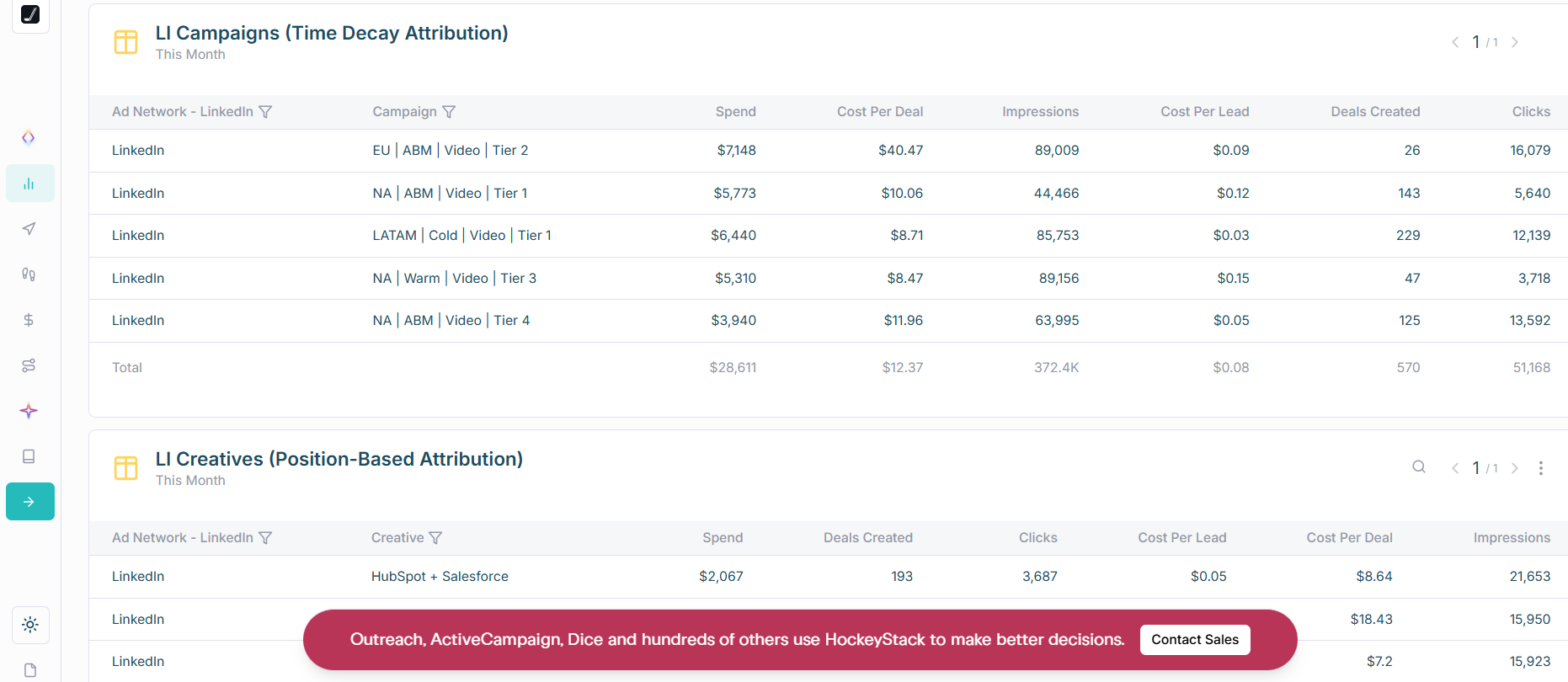
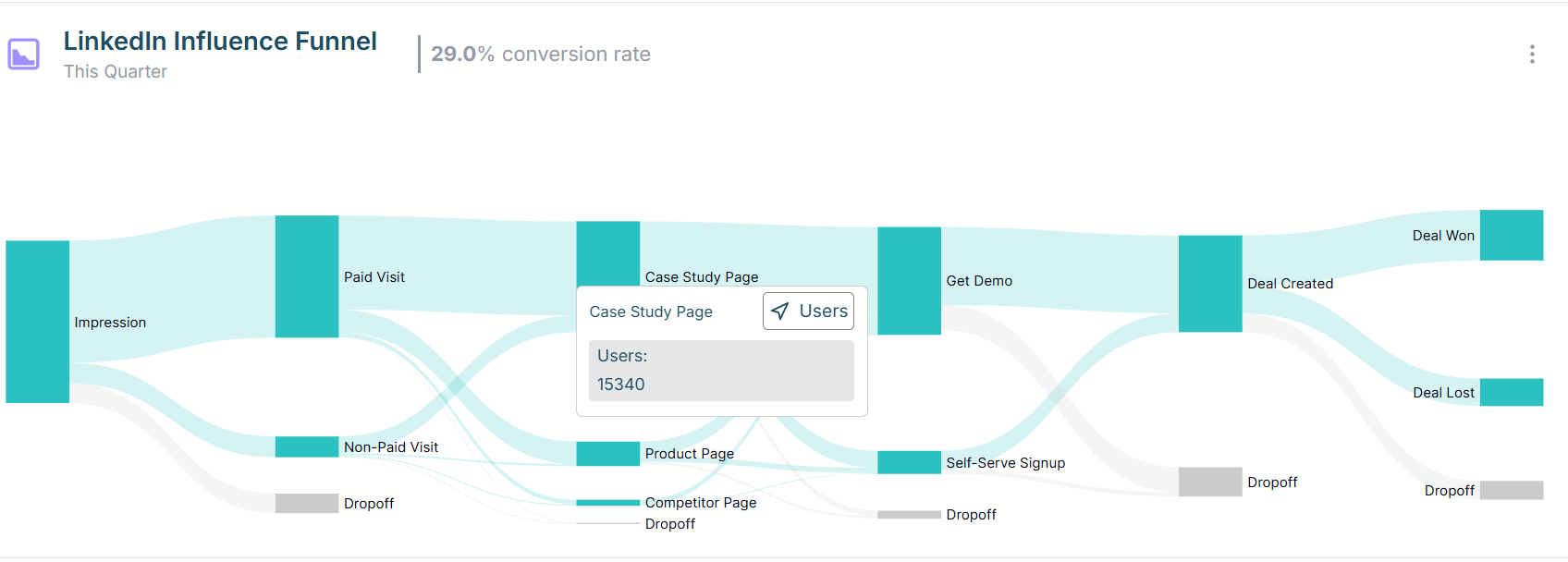

One-way CRM sync. Person-level identity depends on cookies and reverse IP. Users also report UI and insight gaps on G2.
Bottom line: Strong cross-channel analytics with account-level LinkedIn impressions. Consider the CRM pushback gap and learning curve.
Sales-led. See the pricing page to book a demo.
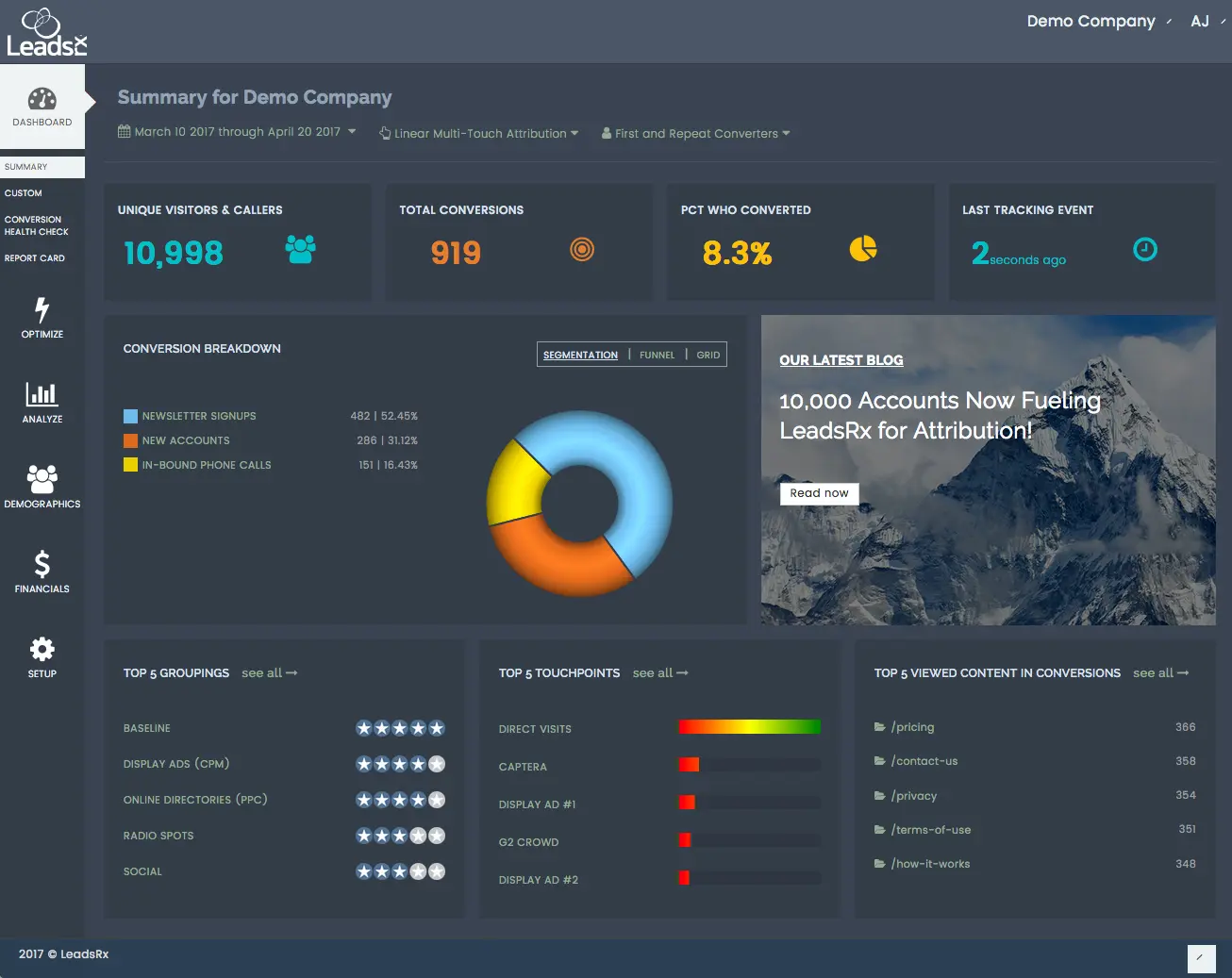
LeadsRx handles multi-touch across online and offline with a universal pixel.
Only partly. It does not use the LinkedIn API and leans on cookies. Company reporting depends on your CRM join logic and form data. Lead Gen Forms need webhooks to sync cleanly.
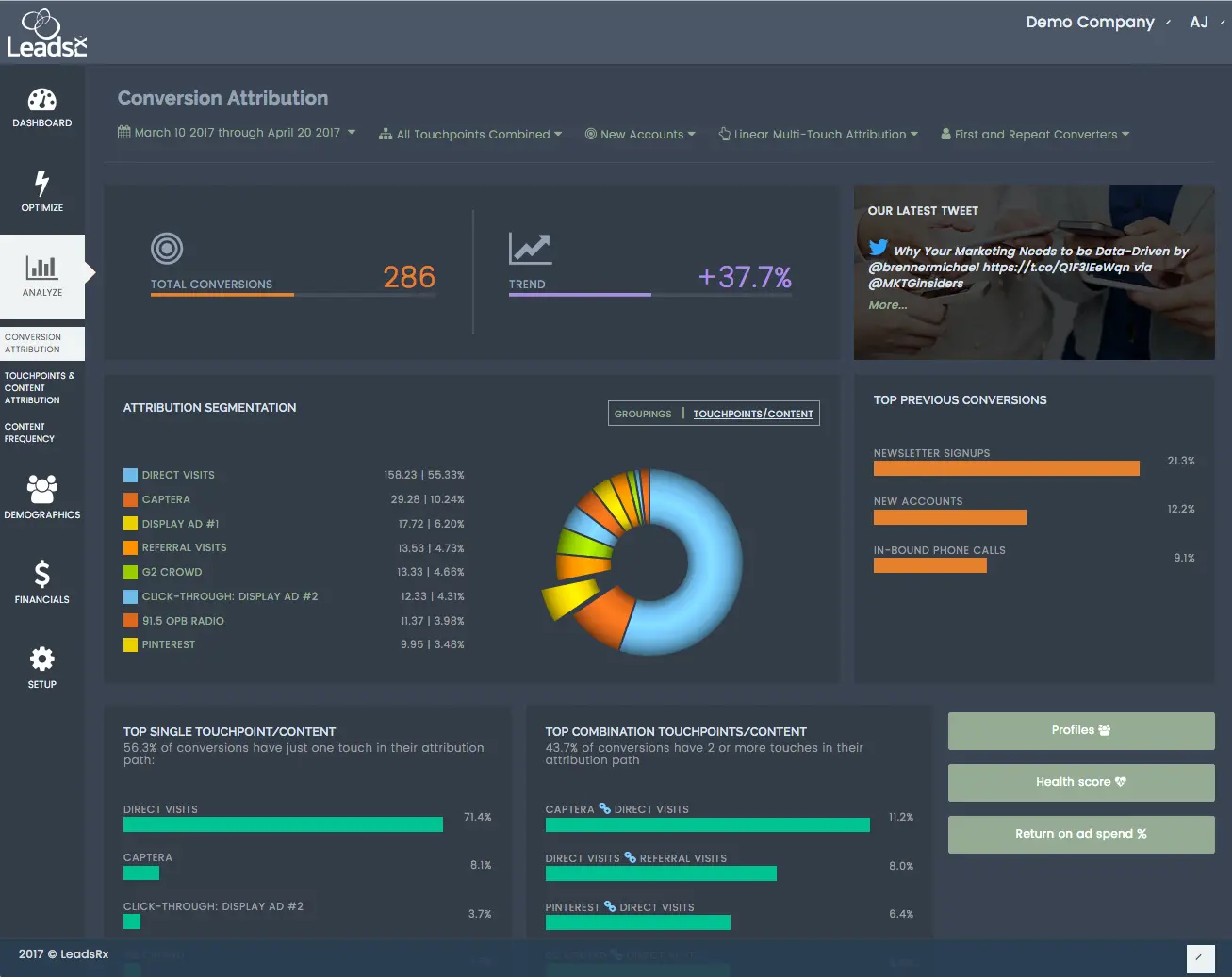
Strong for mixed media and complex journeys. Radio, events, podcasts, web, and paid all land in one place. Journey maps are clear.
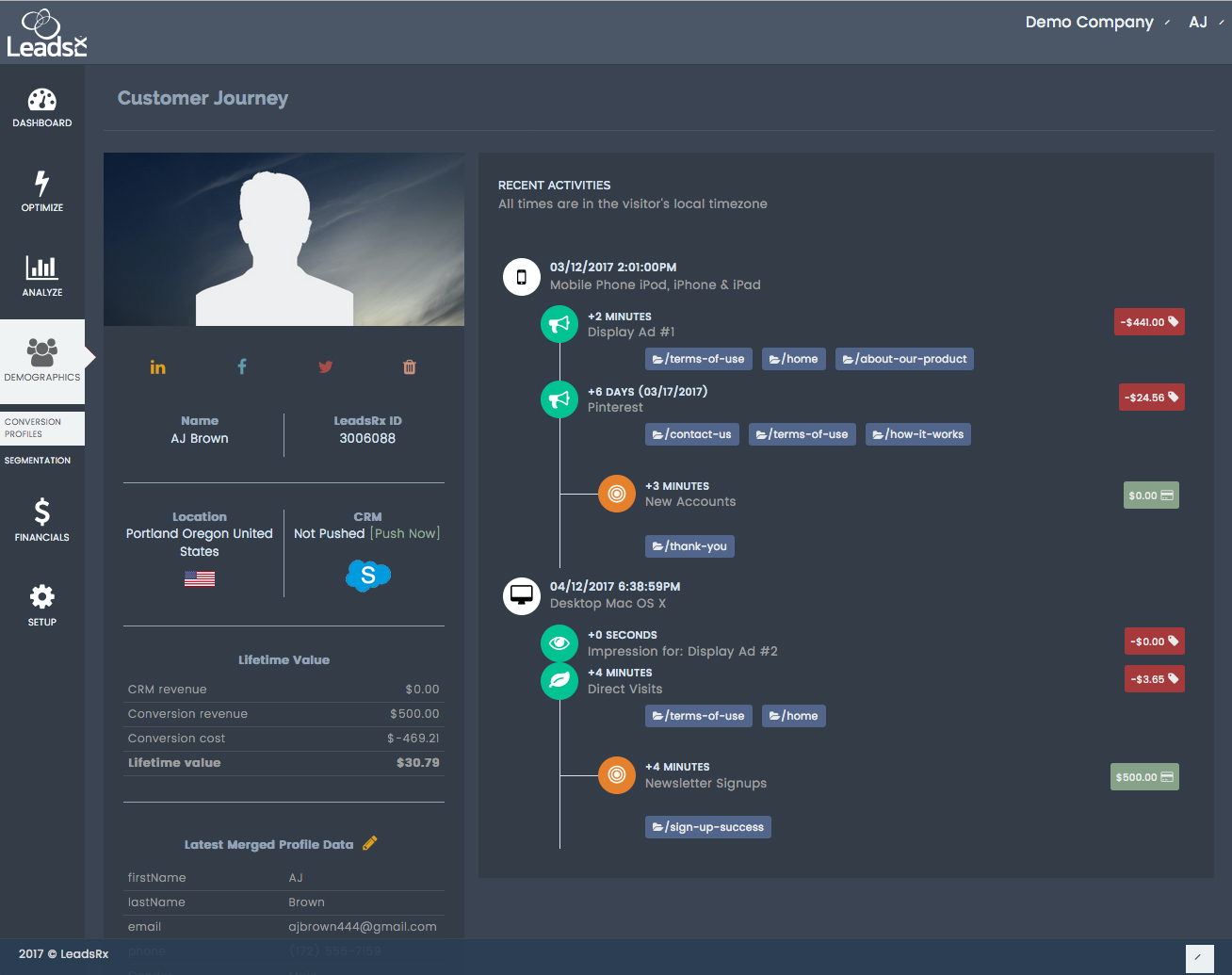
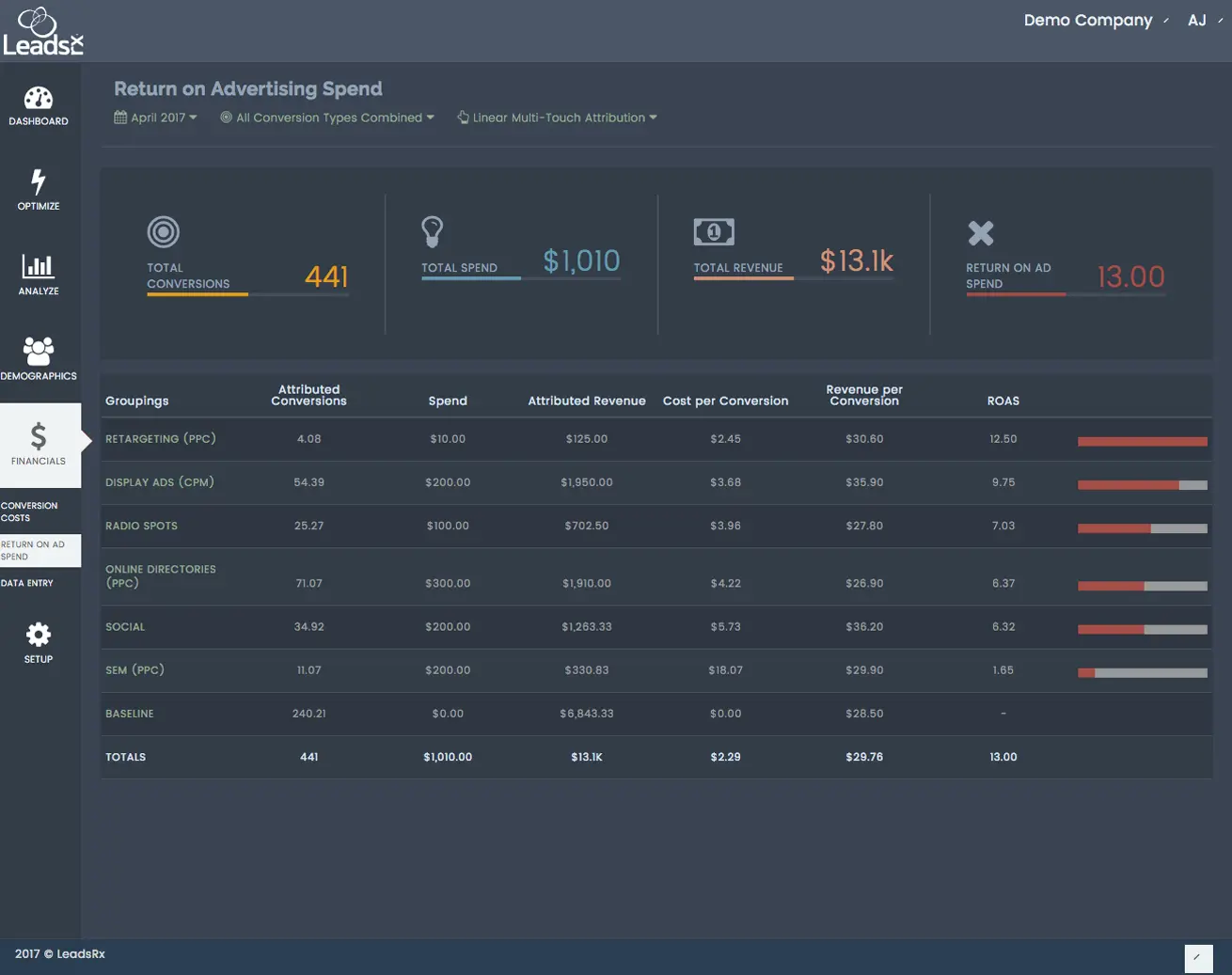
Bottom line: Great omni-channel views. Not ideal for ABM-grade LinkedIn impression analytics.
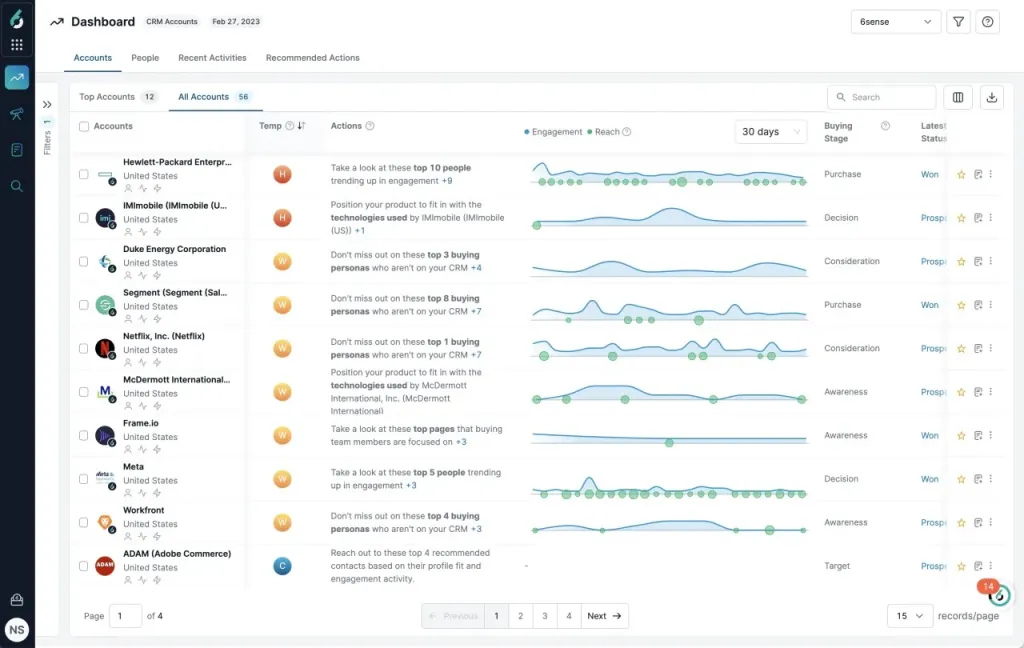
6Sense is known for account ID, intent, and predictive scoring. In 2023 it tightened its LinkedIn connection.
No. LinkedIn analytics remain aggregate. Account-level impression logs are not exposed. Click and visit are needed for attribution, which undercounts view-through influence.
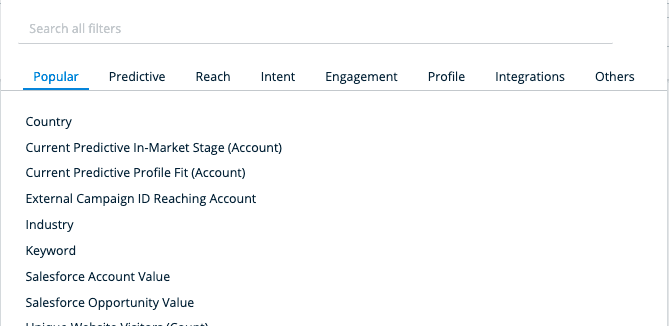
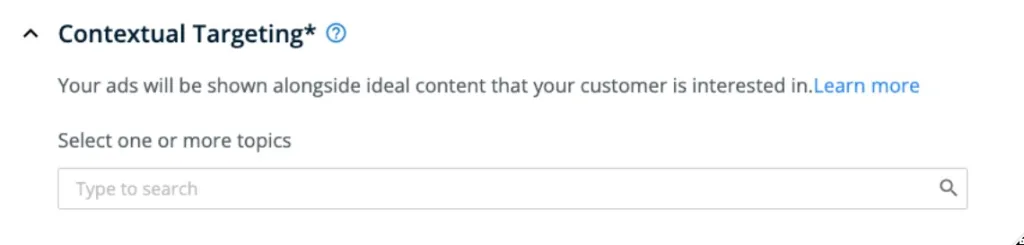
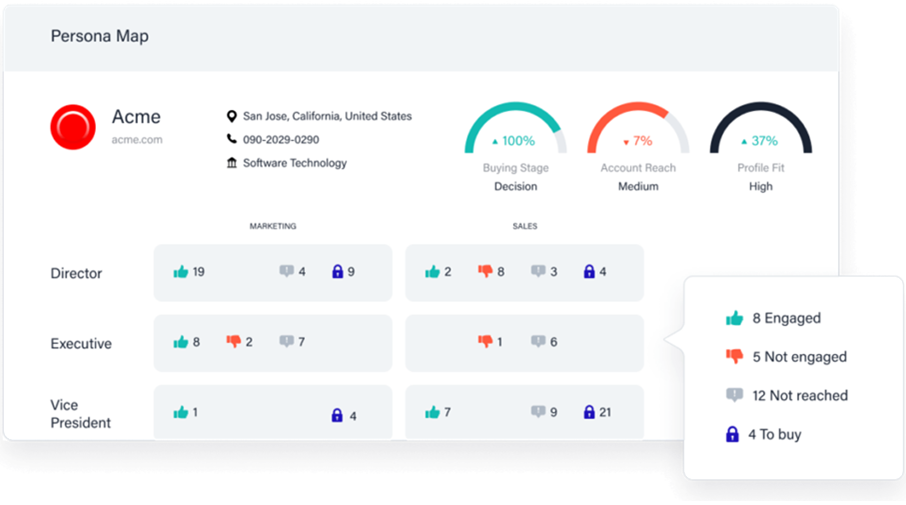
Bottom line: Excellent for display and targeting. Not built for impression-first LinkedIn ABM analytics.
Not public. Contact sales.
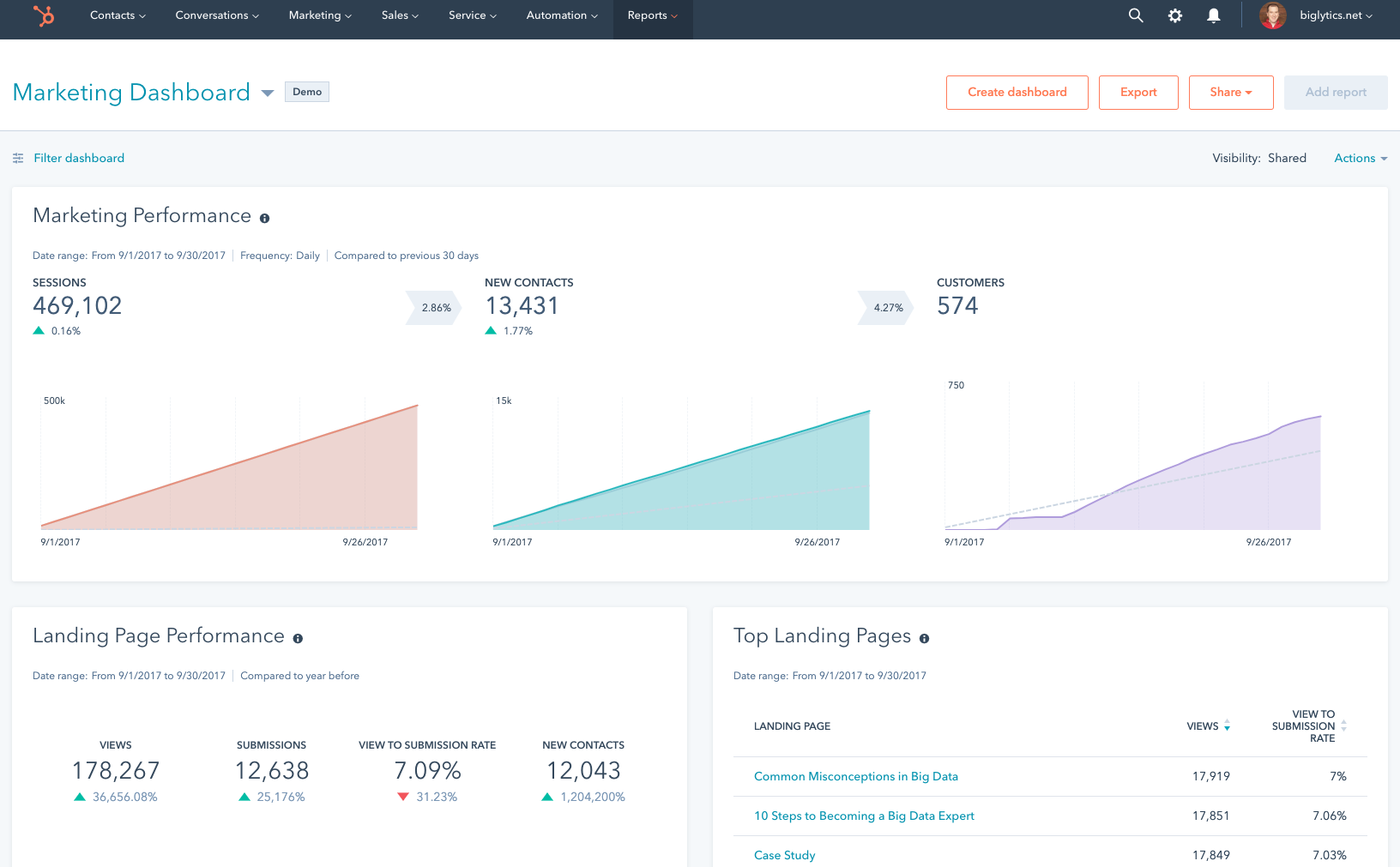
HubSpot has a native ads tool and an attribution module. It pulls clicks and lead form data from LinkedIn into reports.
If you only need click-based contact attribution, HubSpot is easy. Connect clicks to contacts, attach revenue, and flip between models like First Touch, Last Touch, Linear, U-Shaped, W-Shaped, and Time Decay.
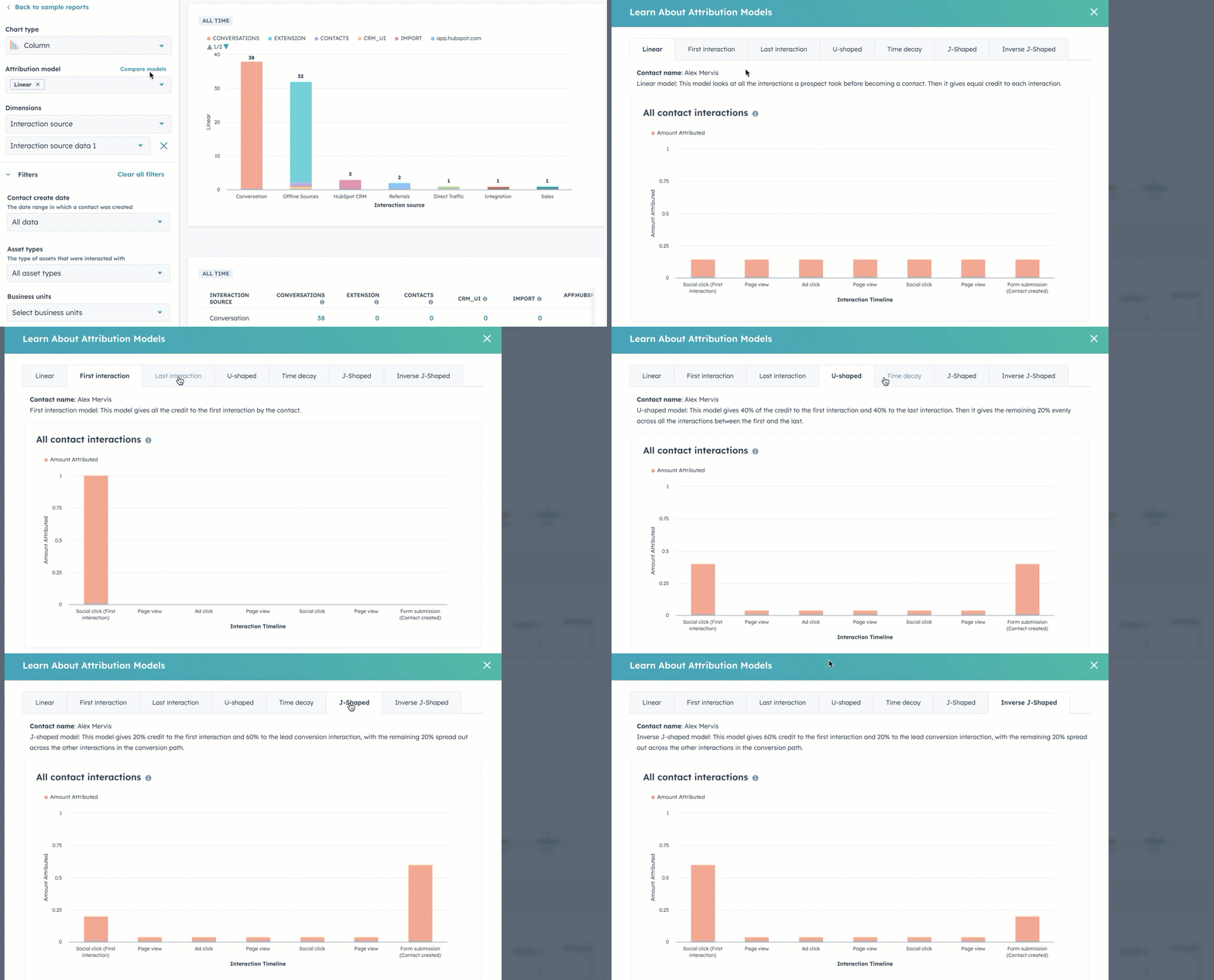
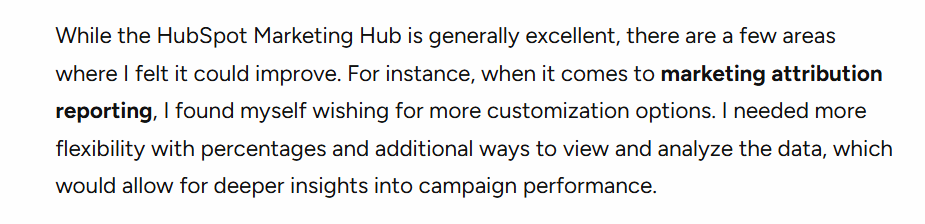
No custom weighting for models. Limited ad types via API. Practitioners note constraints on LearnG2 and elsewhere.
Bottom line: Great CRM and MAP. Not a full LinkedIn ABM analytics solution.
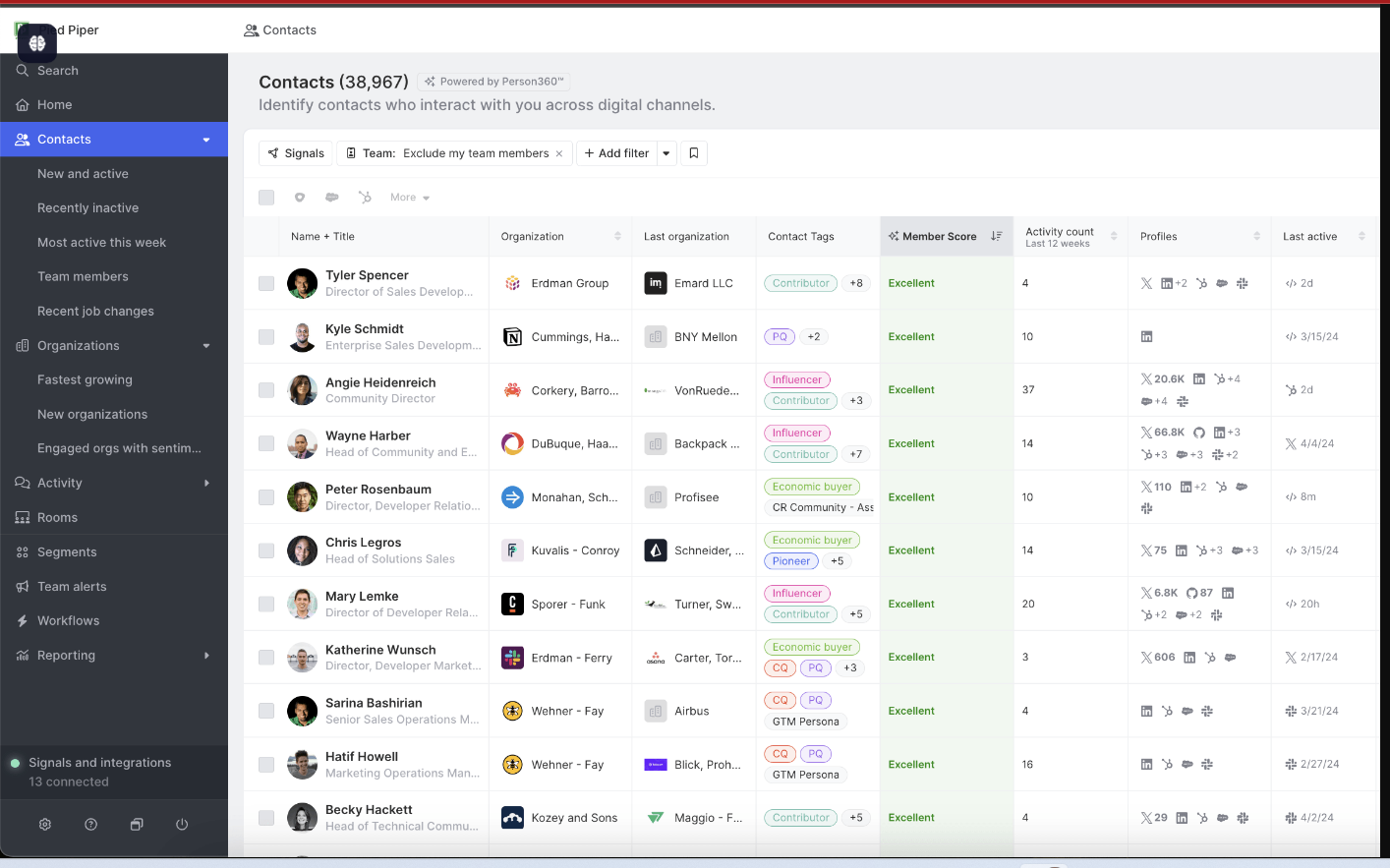
CommonRoom is community intelligence. It tracks LinkedIn engagement, Slack communities, social signals, and product usage to surface warm accounts.
No. It does not capture account-level LinkedIn ad impressions. CRM sync exists, but without impressions the ABM analytics story is incomplete.
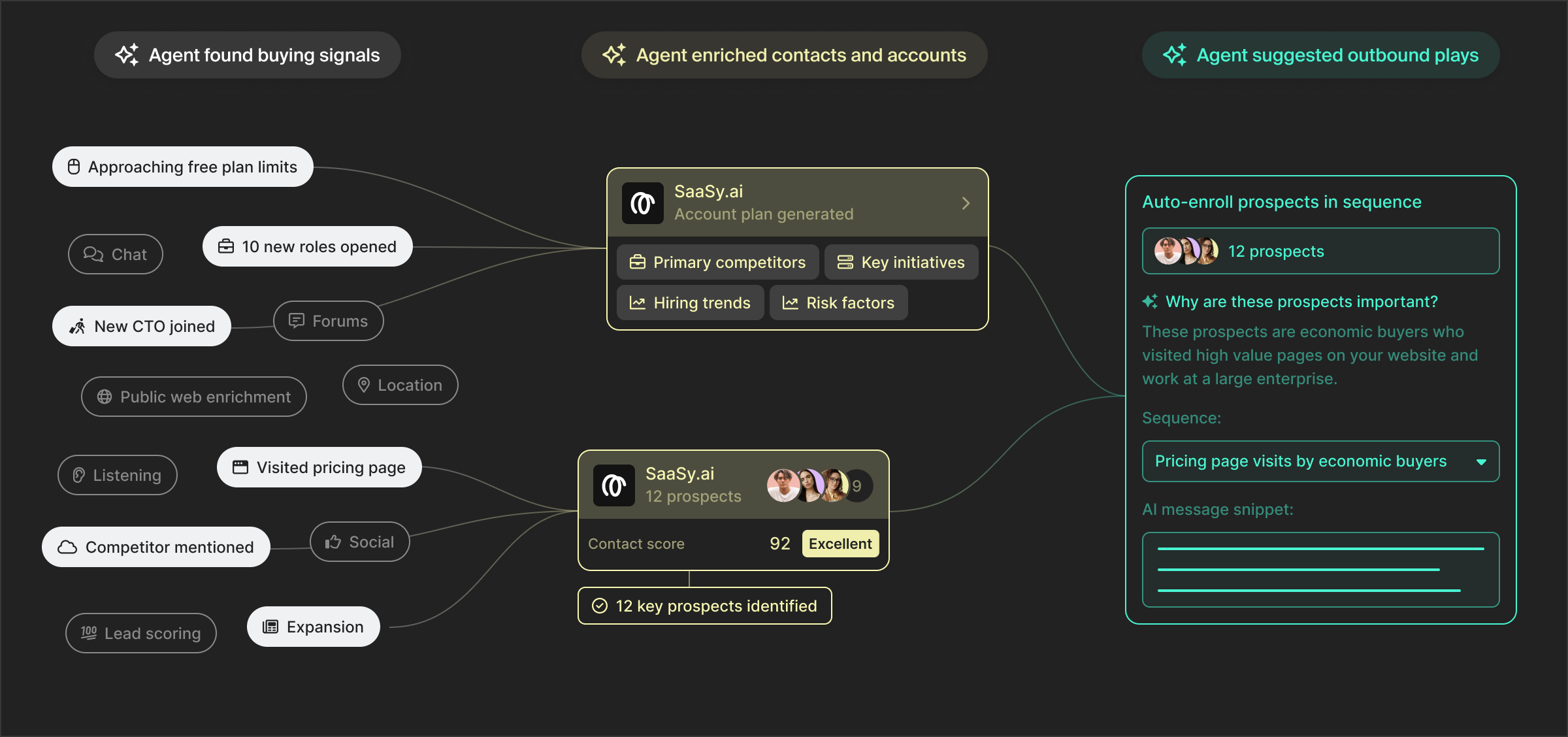
Correlate spikes in community activity with marketing moments. Ask RoomieAI questions about patterns and lift.
Turn bare email signups into enriched company profiles to connect engagement back to accounts.
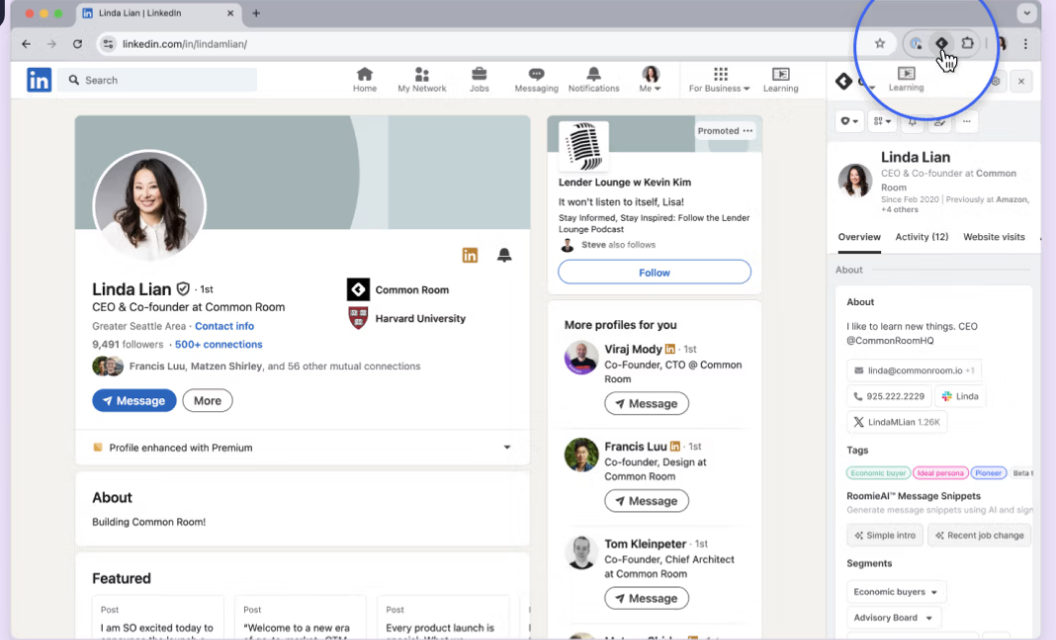
Bottom line: Useful for community-led growth signals. Not a substitute for ABM-grade LinkedIn impression analytics.
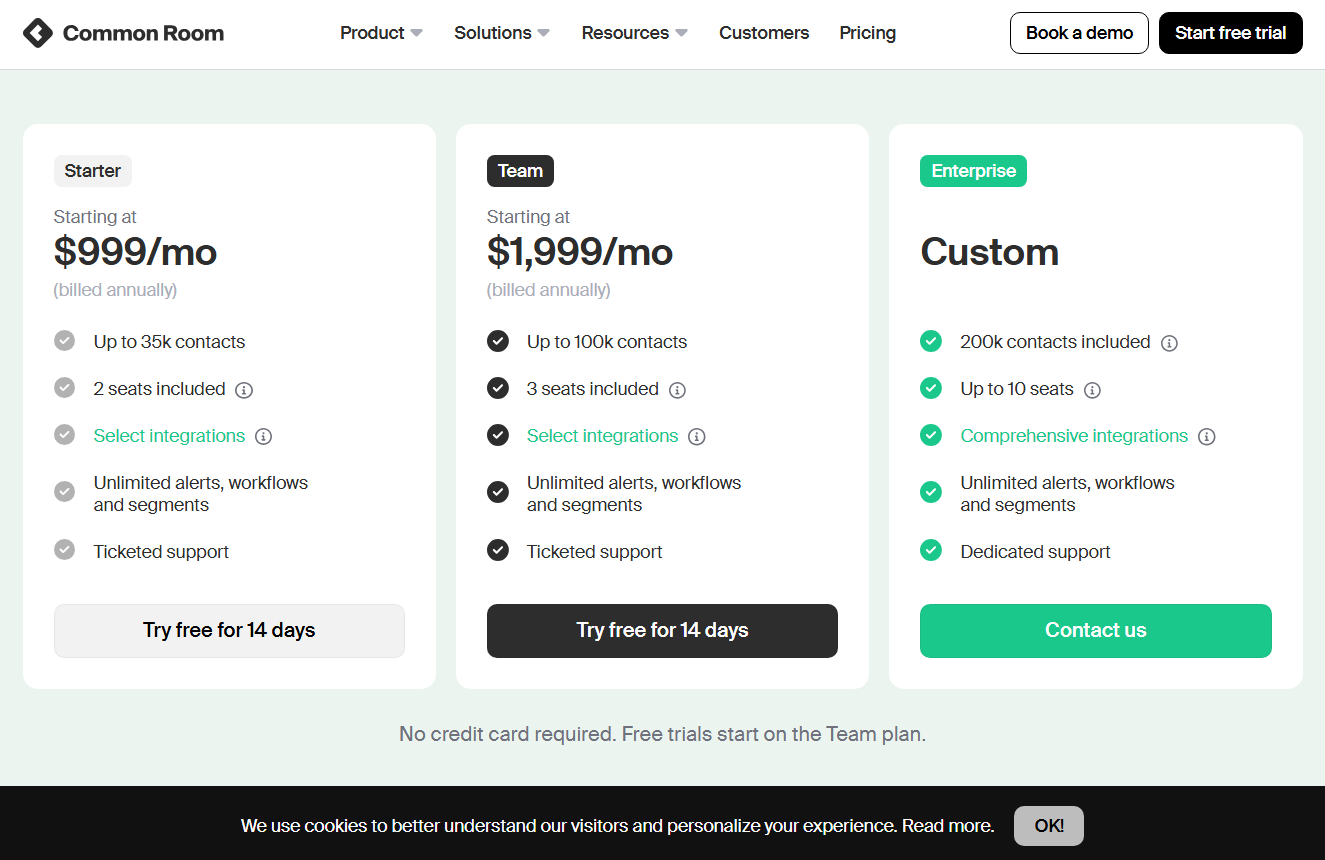
Starter from $999 per month for up to 35k contacts and 2 seats. Team from $1,999 per month for 100k contacts and 3 seats. Enterprise is custom with higher contact and seat limits.
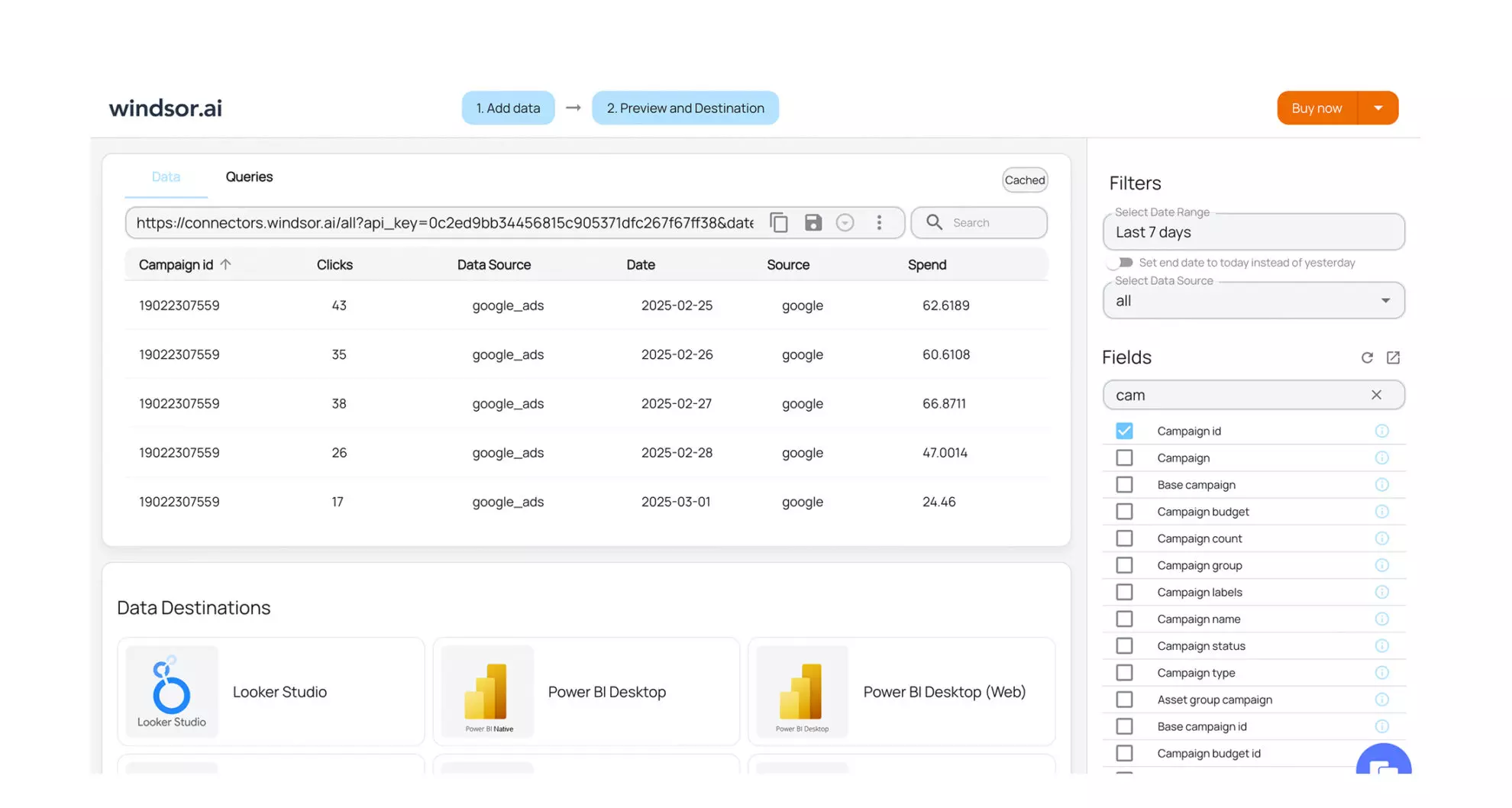
Windsor.ai is a data hub for attribution across 300 plus sources. Think modeling, normalisation, and export to BI tools.
No. It requires clicks or lead form fills for LinkedIn credit and leans on reverse IP for account grouping. No account-level impression analytics. No native account grouping for ABM without external prep.
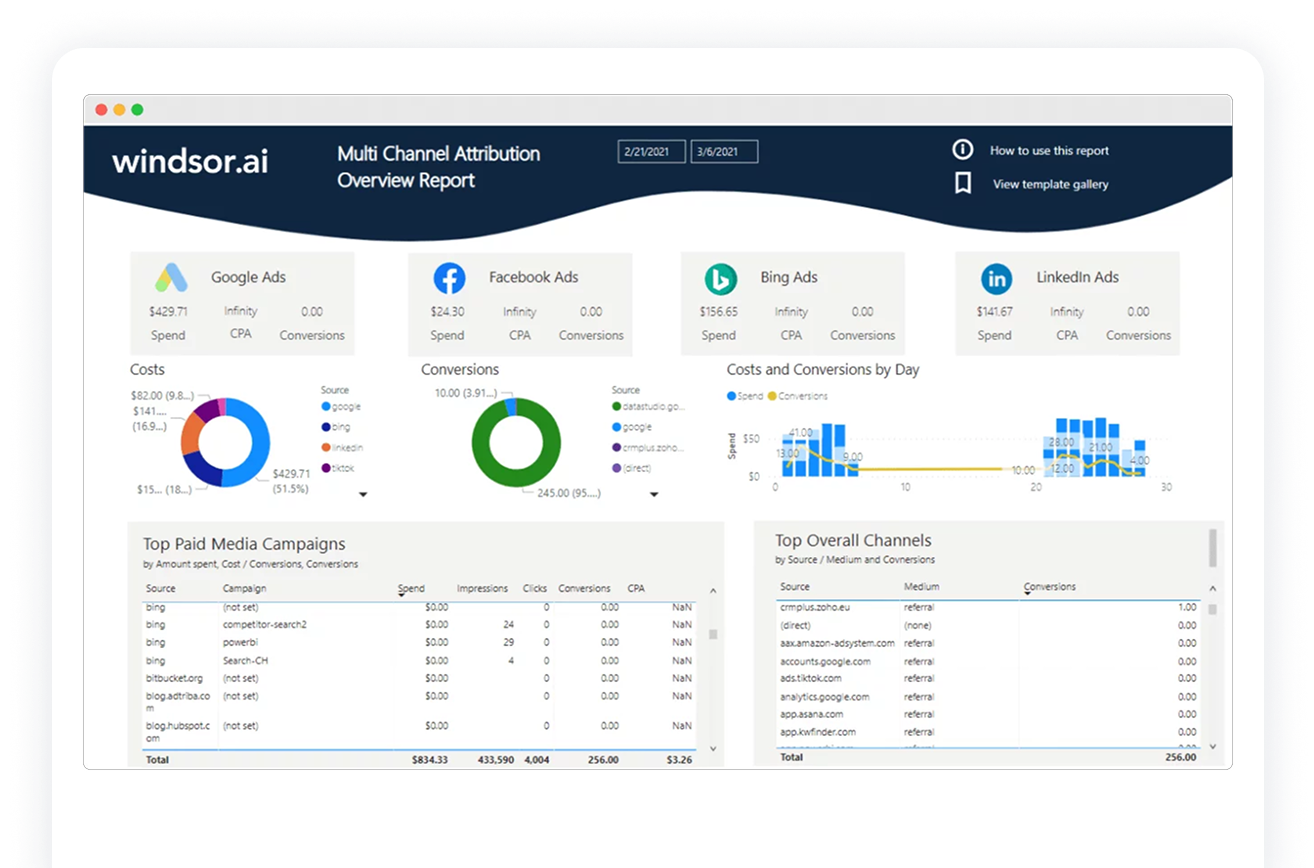
Bottom line: Excellent for measurement teams that want a flexible data layer. Not an ABM-first LinkedIn analytics tool.
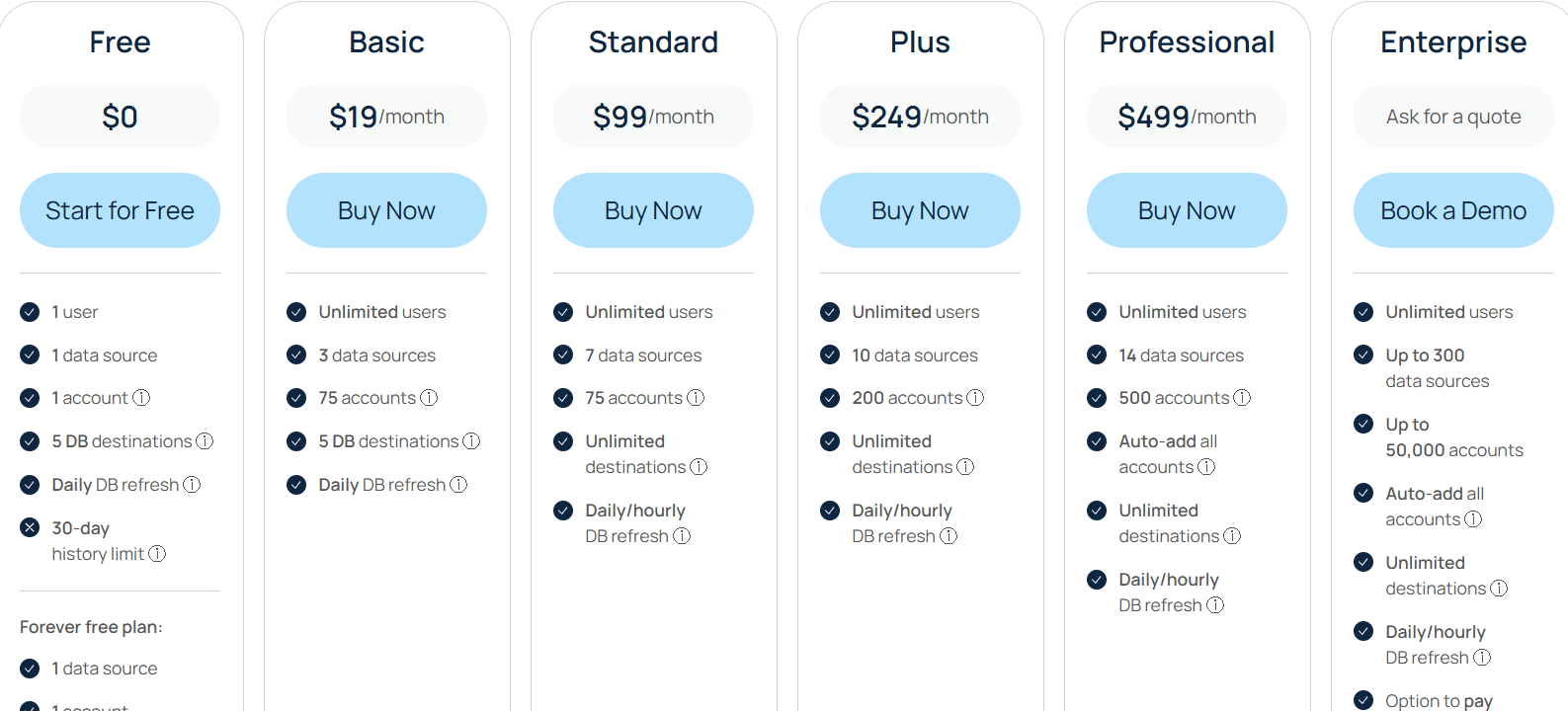
Free tier for one source and 30-day history. Basic at $19, Standard at $99, Plus at $249, Professional at $499, and Enterprise custom with more sources, accounts, and refresh rates.
Demandbase, HockeyStack, Terminus, and Factors.ai shine if you need broad programs, bigger budgets, and deep control. LeadsRx does not use the LinkedIn API and leans on cookies. HubSpot Attribution is click and contact centric. 6Sense focuses on visits and audience controls rather than impression-level LinkedIn analytics. CommonRoom tracks engagement and community signals, not impressions. Windsor.ai is a strong data layer but not ABM-first.
If you want a tool that keeps costs low and still nails ABM analytics for LinkedIn, start with ZenABM. It tracks impressions at the account level, matches them to CRM deals, writes properties into HubSpot, and shows which campaigns impacted which deals even when nobody clicks. Book a ZenABM demo and see how the best LinkedIn ad analytics tools for ABM should work in practice.


